
Solutions · Cafeteria
Cafeteria software: know who ate, without a paper list
Nexora Cafeteria is cafeteria software built around a kiosk at the canteen door. It records meal attendance per employee, opened by a secure link and restricted to your own network so it only works where it is supposed to.
The problem today
Why a clipboard cannot replace cafeteria software
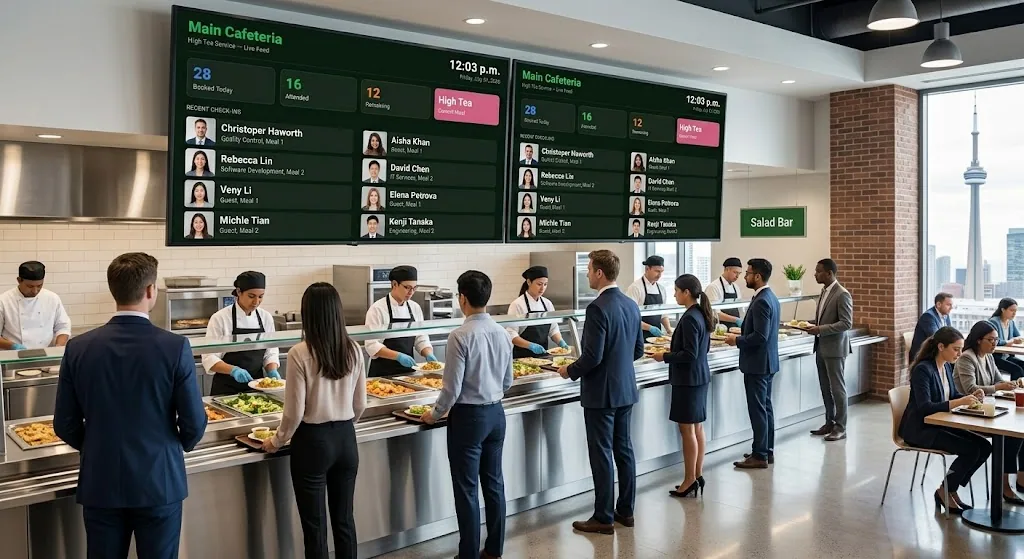
Staff catering is one of those costs that everybody knows is significant and almost nobody can account for precisely. The company pays for meals, sometimes subsidises them, sometimes recovers part of the cost from payroll, and underneath all of that sits a clipboard by the serving counter. Nexora Cafeteria replaces the clipboard with a kiosk. It is the smallest module in the platform and for a lot of companies it is the one that pays for itself first.
There is a list by the counter. People write their name, or their number, or a signature that could be anything. Somebody in finance types it up at the end of the month, badly, from handwriting that was rushed by people holding a tray.
Nobody can answer the basic questions: how many meals were served last month, which departments account for the most, how many were guests and contractors rather than staff, what the actual cost per head is. The catering invoice arrives and gets paid, because there is no independent record to check it against.
And where meals are supposed to be recovered through payroll, the recovery is either a flat guess applied to everyone or it does not happen at all, because the underlying record was never accurate enough to defend to an employee who queries their payslip.
Key features
Cafeteria software features
Six things that replace the paper list with a record you can rely on.
Kiosk at the door
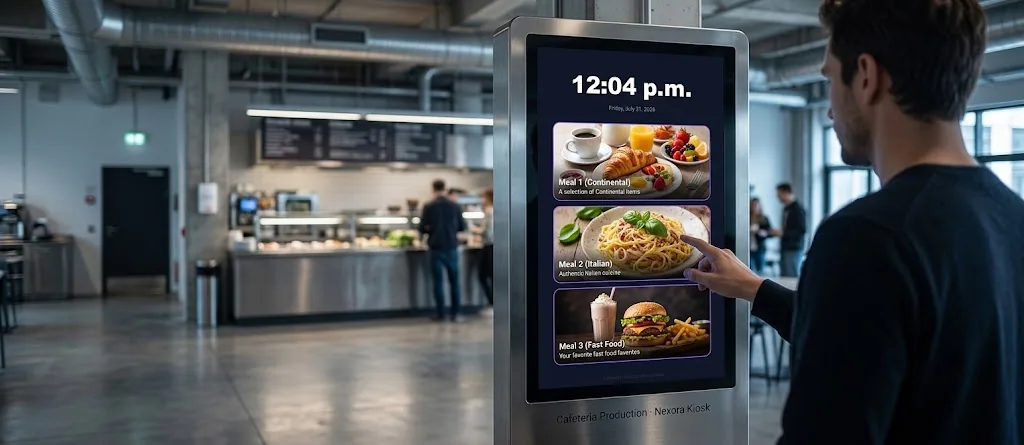
A screen at the canteen entrance where staff record attendance as they come in. No clipboard, no typing up.
Kiosk opened by a secure link
The kiosk runs from its own secure link, so setting it up on the canteen device is straightforward.
Kiosk restricted to your network
Kiosk access can be limited to approved network addresses, so it only works from the canteen device and nowhere else.
Each meal recorded per employee
Attendance is captured against the person, so consumption is a real record rather than a headcount estimate.
Part of the same Nexora platform
Same users, same branches, same access control as everything else. No separate system to administer.
No canteen app for staff
Nothing for employees to install. They interact with the kiosk and carry on with their day.
The kiosk
The kiosk does the capture
The kiosk sits at the canteen entrance on whatever device suits you, opened from its own secure link. Staff record their attendance as they come in, and it takes a moment.
That moment is the whole design constraint. A queue at lunchtime is not a place where anybody will tolerate a slow process, and a system that slows the queue will be abandoned within a fortnight regardless of how good its reporting is. So the kiosk does one thing quickly and gets out of the way.
Network restriction
A kiosk locked to where it should run
Kiosk access can be restricted to approved network addresses. In practice that means the kiosk link works from the device at the canteen door and does not work from somebody’s phone at home.
It sounds like a small administrative detail. It is the difference between a record you can rely on and a record that is really a suggestion, because a kiosk link that works from anywhere is a kiosk link that will eventually be used from anywhere.
Per employee, one platform
Meal records per employee, not per headcount
Attendance is recorded against the individual, which is what separates this from counting trays. Once consumption is attributed to people, it can be grouped by department, by branch, by month, and it becomes something finance can actually use rather than a single number nobody can break down.
The people using the canteen are already users in Nexora, with the same branches and the same access control as everywhere else. There is no separate user list to maintain, and no reconciliation between two sets of employee records that will inevitably drift apart. For a company already running safety, maintenance or help desk on the platform, adding catering is switching a module on rather than buying and administering another product.
How it works
How a meal is recorded
Deliberately short. If this takes longer than a few seconds at the door, it will not be used.
Cafeteria flow: from the door to the record
Live view
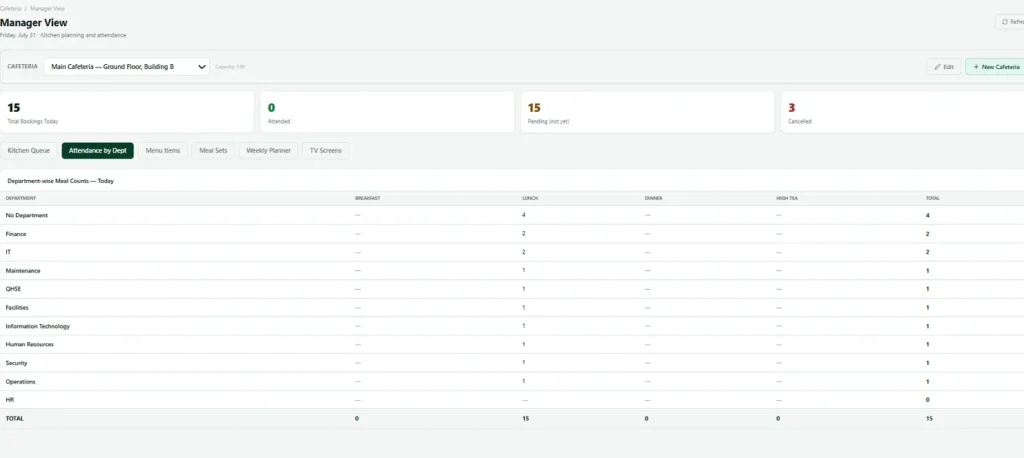
The cafeteria dashboard in action
An example of the cafeteria view inside Nexora.
Evidence
What cafeteria software records
Each meal becomes a small, attributable record.
| Record | What is captured |
|---|---|
| Employee | The person who attended |
| Date and time | The date and time of attendance |
| Branch | The branch where the meal was recorded |
| Kiosk | The kiosk it was recorded at |
| Consumption | The accumulated consumption record per person over time |
Reporting
What the cafeteria manager sees
Consumption per employee. Attendance over time. Which branches and which periods carry the most usage.
And an independent record to check the catering invoice against, which for many companies is the first time that has ever been possible.
Being direct
What is on the roadmap for cafeteria
Catering is a module where people often arrive with a specific goal, so here is exactly where things stand.
| Capability | Status |
|---|---|
| Kiosk attendance recorded per employee | In the product today |
| Kiosk opened by a secure link, restricted to approved network addresses | In the product today |
| Payroll deduction export | On the roadmap, not in the product today |
| Detailed per employee monthly consumption reporting | On the roadmap, not in the product today |
| Departmental and guest breakdowns | On the roadmap, not in the product today |
| Price per meal configuration | On the roadmap, not in the product today |
If payroll recovery is the reason you are looking at this, tell us in the first conversation and we will give you a straight answer about timing rather than a hopeful one.
Works with
Cafeteria alongside the rest of Nexora
Switch on more modules later without changing systems.
Nexora Visitors
Pre register, invite with a QR code, check in and check out, with overstay reminders.
Connected
How Cafeteria connects to the rest of Nexora
Staff catering looks simple until you try to run a cafeteria with paper lists and spreadsheets. Meal counts drift from reality, kitchens over or under produce, and nobody can tell which departments are really using the service. The Cafeteria module turns attendance into a record you can trust, collected at the moment people eat rather than reconstructed afterwards.
Because Cafeteria uses the same employee and department records as the rest of Nexora, there is no separate list to maintain. When someone joins, moves department or leaves, the catering records follow automatically. Reports by department and by meal give finance and facilities teams the real numbers they need to plan menus, negotiate with suppliers and allocate costs fairly.
Getting started
Getting started with cafeteria software
From first menu to reliable meal numbers.
- 1
Set up each meal and menu
Define your meal types and plan the weekly menu.
- 2
Connect your people in Nexora
Use the same employee and department records as the rest of Nexora.
- 3
Place the kiosk
Staff record attendance as they arrive, in seconds.
- 4
Watch canteen numbers
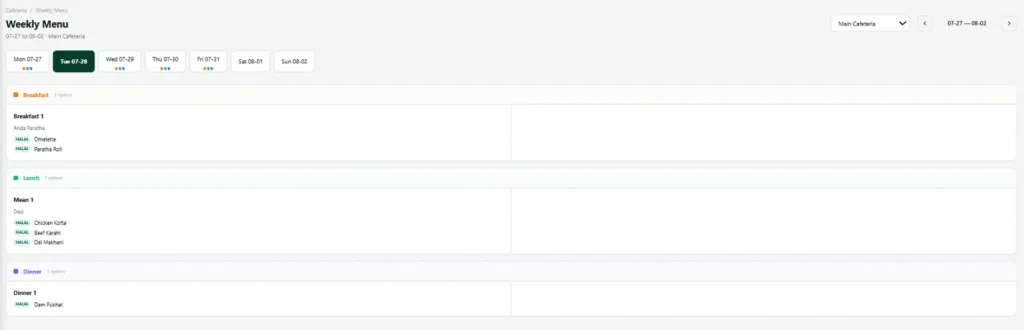
See attendance by meal and department as it happens.
- 5
Plan meal production with confidence
Use the reports to adjust production and cost.
Who it suits
Who uses cafeteria software in Nexora
Cafeteria software matters most where a company feeds a lot of people every day: factories running several shifts, hospitals with staff canteens, large offices and campuses, and sites in the Gulf and Pakistan where meals are part of the employment package. In each case the canteen is busy, the catering contract is large and the numbers have rarely been checked against an independent record.
Nexora gives those sites a simple kiosk record without adding another system. The people, departments and branches are the same ones used by the help desk, visitors and training, so cafeteria software becomes one more module rather than one more project.
Typical cafeteria software users:
- Factories and plants with shift canteens
- Hospitals and clinics with staff dining
- Corporate offices and campuses
- Construction and project camps
- Schools and universities with staff meals
Cost control
Using cafeteria data to control catering cost
Catering is often one of the largest controllable costs on a site, and one of the hardest to see clearly. Reliable attendance by meal and by department lets you plan production against real demand, reduce waste, check supplier invoices against actual consumption and charge costs to the right department.
Over weeks, the patterns become visible: which days are busy, which meals are popular, how many guests eat alongside employees. Those patterns turn menu planning from guesswork into a routine decision, and help cut food waste, which the UN Environment Programme Food Waste Index shows is a large share of food service costs worldwide.
Related: Cafeteria uses the same people and departments as the help desk, visitors and training, so reports by department stay accurate; see the platform, the industries we serve or how modules are priced.
FAQ
Cafeteria software FAQs
What device does the kiosk run on?
Whatever suits your canteen. It opens from a secure link, so a tablet or a fixed screen at the door both work.
Can the kiosk be used from somewhere it should not be?
Access can be restricted to approved network addresses, so it works from the canteen device and not from elsewhere. Set this up before you go live rather than after.
Do employees need a cafeteria app?
No. They interact with the kiosk at the door and that is the whole of it.
Can we deduct meal costs through payroll?
Not from this module today. A payroll export is on our roadmap. This is the single most common request on this module and we are not going to pretend it already exists.
Can the cafeteria software track guests separately?
Detailed guest and departmental breakdowns are roadmap rather than current. Ask us in a demo and we will tell you where it stands at that point.
Does the cafeteria software work across several canteens?
Yes. Each meal is recorded with its branch and kiosk, so a company with canteens at several sites can see attendance at each one and across the whole group.
What is cafeteria software and who needs it?
Cafeteria software records who eats, when and where, so a company can plan food, control costs and bill guests or departments correctly. Factories, hospitals, schools and offices that feed many people each day get the most from cafeteria software, especially when meals are subsidised.
See the kiosk running
It takes about two minutes to show, which is roughly how long it takes to set up.