
Solutions · Staff Transport
Employee transport management system for buses, routes and seats
Nexora Staff Transport puts your whole employee transport operation on one screen, so you always know which routes are running, who sits where, how many seats are free and which vehicles and drivers are ready for the road.
Overview
Staff transport management software for employee buses
Every morning, hundreds of your people step out of their homes and wait for a company bus. If that bus is late, full, or takes the wrong road, your shift starts late, your production line waits and your HR team spends the day answering calls. Nexora Staff Transport puts your whole employee transport operation on one screen.
Nexora is a cloud based operations platform used by factories, plants, offices, hospitals, schools and construction sites. Its employee transport management system is built for companies that run their own pick and drop service for employees, whether that is four buses in one city or a large fleet covering several shifts and branches.
The problem
Why companies need an employee transport management system
Most companies still run staff transport on spreadsheets, WhatsApp groups and phone calls. It works until it does not. A driver leaves, a new joiner needs a seat, a route gets too crowded, a vehicle fitness certificate expires and nobody notices until the bus is stopped on the road.
With dedicated employee transport management system you replace guesswork with clear records. The result is fewer late arrivals, fewer complaints, better use of every bus and a transport team that spends its time solving problems instead of chasing information.
What changes with proper employee transport records:
- Every route has a code, a name, a bus, a driver and a list of stops in order.
- Every stop has a pickup time, so employees know exactly when to be there.
- Every seat is assigned to a named person, so you can see true bus capacity at any moment.
- Every request for a seat or a change goes through a simple approval, so nothing gets lost in chat messages.
- Every vehicle document and driving licence has an expiry date that Nexora watches for you.
Dashboard
The employee transport dashboard: your whole operation at a glance
When your transport manager opens Nexora, the first thing they see answers the questions they are asked every single day.
Each route running
How many bus routes are active right now.
People with a seat
How many employees have a confirmed seat across every route.
Each seat free
How many seats are still open, out of your total capacity.
A route without a bus
Any route with no vehicle assigned, so it can be fixed before the next shift.
Below the summary, every route is listed with its code, name, shift, bus number, driver, number of stops and a clear seat bar showing how full it is, for example 9 of 14 seats taken. A route that is filling up stands out straight away, so you can move people or add a vehicle before anyone is left standing at the stop. You can search by route code, route name, bus number or driver name, so when a manager gets a call saying the Route 4 bus did not come, they find the route, the driver and the vehicle in seconds.
Route planning
Route planning with stops, pickup times and a real road map
Good routes are the heart of any employee shuttle service. In Nexora you build each route as an ordered list of stops, from the first pickup point to your head office, plant or site.
- 1Name each stopA park, market, chowk or main road junction your employees already know.
- 2Pin it on the mapThe exact location of the stop, so drivers and riders agree on the spot.
- 3Set the pickup timeShown in the time of the site, so 7:15 reads 7:15 for everyone, even a manager checking from another country.
- 4See the road lineNexora draws the route along real roads between stops, with the expected travel time.
- 5Adjust in minutesMove a stop, change a time or swap a bus, and the update reaches everyone who needs it.
Following actual roads rather than straight lines makes it much easier to spot a stop that is out of the way, a route that has grown too long, or two routes that could be joined. Road travel times come from the Google Maps Platform, so your timetable can be checked against reality.
Capacity
Seat allocation and bus capacity for employee transport
Running out of seats is one of the most common problems in employee transport. Nexora treats every seat as something that belongs to a real person.
This gives HR and administration a true picture of transport capacity across the company. You can plan new buses based on facts, show management exactly how full each route is, and make sure the cost of every vehicle is matched by the number of people it carries.
How seat allocation works:
- Each employee is assigned to a route and a boarding stop.
- The system counts seats taken against the capacity of the bus on that route.
- Managers see where there is room and where a route is close to full.
- When a route is full, you know before you promise a seat to a new joiner.
Seat requests
Seat requests and approvals, without the phone calls
New joiners, people who move house and staff who change shifts all need a seat on a different route. Instead of calling the transport office, employees raise a seat request in Nexora.
- 1Choose a route and stopThe employee picks the route and pickup stop that suits them.
- 2Request reaches transportThe request goes to the people who manage employee transport.
- ApprovedThe seat is assigned with one click.DeclinedThe employee is told, with the decision recorded.
- 4Everyone sees the statusNobody has to ask twice, and the record stays for audits.
Every request is recorded with who asked, when and what was decided. When an auditor or a senior manager asks why someone was moved to a particular bus, the answer is already there.
My Seat
My Seat: every employee knows their bus and pickup time
Employees get their own simple page called My Seat. It shows their route, their boarding stop and their pickup time. There is no need to ask a supervisor or search an old message. If something changes, the employee sees the new details the next time they open the page.
Privacy is respected throughout. Ordinary employees see their own seat and the information they need to catch the bus. The full passenger lists, who sits on which bus and where they live, are kept for the people who manage transport. This matters for companies with many staff, and it matters even more for women employees and for sites with strict security rules.
Fleet
Fleet, vehicles and driver records next to every route
A staff bus is only as reliable as the vehicle and the person driving it. Nexora connects your transport routes to the Fleet section of the platform, so vehicle and driver records sit right next to the routes they serve.
Nexora sends reminders before important dates arrive, so an expired licence or a lapsed fitness certificate never comes as a surprise at a police checkpoint. This is one of the quickest ways to cut fines, avoid buses being taken off the road and protect your company if there is ever an accident.
Fleet records linked to each route:
- Vehicle register: buses, vans, coasters and cars with their registration number, type and details.
- Vehicle documents: registration, fitness certificate, insurance and route permit, each with its own expiry date.
- Driving licences: each driver’s licence number, class and expiry date.
- Service schedules: regular maintenance so a bus is serviced before it breaks down on a route.
Built for real operations
Employee transport management system built for Pakistan, the Gulf and beyond
Nexora is used where staff transport is part of everyday business life: textile mills, manufacturing plants, pharmaceutical factories, logistics hubs, hospitals, banks, call centres, schools and construction projects.
Staff transport for every shift
Run general, morning, evening and night shift routes side by side.
Each site in its own pickup time zone
Every branch works in its own local time, so pickup times are always correct.
Light on data for staff transport
Pages load quickly even on slower internet connections, which matters in many parts of Pakistan, the Middle East and beyond.
Seat details on any device
Transport managers use a computer, while employees check their seat from a phone browser.
Secure and private Nexora data
Each company’s data is kept separate, every user sees only what their role allows, and backups are encrypted and stored offsite.
Lower transport cost per seat
Better use of each bus and fewer late arrivals, measured from your own records.
One platform
Staff transport as part of one Nexora operations platform
Staff Transport is one module of Nexora, so it works hand in hand with the rest of your operations. The same employee records are used across Help Desk, Visitor Management, Gate Keeper, Work Permits, Training, Cafeteria, Asset Management and QHSE. You add a person once, and they are ready for every module your company uses.
Because the employee transport management system shares one platform, there is less double entry, one login for your people, one place for your administration team and one supplier to deal with. You can start with employee transport alone and add other modules later as your needs grow, paying only for what you use. See how modules are priced.
Employee transport benefits at a glance:
- Clear view of every route, bus, driver and seat on one dashboard
- Accurate pickup times shown in local site time
- Real road maps for every route, built from your stops
- Fair, visible seat allocation with no double booking
- Seat requests and approvals with a full record
- My Seat page so employees always know their bus
- Vehicle document and driving licence expiry reminders
- Fewer late arrivals and fewer calls to HR and administration
Honest view
Nexora employee transport management system pros and cons
What it does best, and where another tool may suit you better.
Pros of Nexora employee transport management system
- Routes built as ordered stops, each pinned on the map with its own pickup time, and a road line with travel time from Google Maps.
- Every seat belongs to a named employee, with a seat bar per route, so you see a full bus before you promise a seat to a new joiner.
- Seat requests and approvals with a record of who asked, when and what was decided.
- A My Seat page on any phone browser showing each employee their route, stop and pickup time, while passenger lists stay with the transport team.
- Vehicle document and driving licence expiry reminders, because routes share records with Nexora Fleet.
- General, morning, evening and night shift routes side by side, with every site in its own local time and pages light on data.
- Same platform as help desk, visitors, gate keeper, permits, assets and fleet, with your routes, buses and staff list set up for you and support in Canada, the UK, the Gulf and Pakistan.
Cons of Nexora employee transport management system
- No live bus tracking or SOS button for riders today; live GPS is on our future plans, while MoveInSync, Routematic and TripShot show vehicle location in their apps.
- Your team plans each route stop by stop; there is no automatic AI route optimisation of the kind MoveInSync and Routematic sell.
- No vendor billing, trip based invoicing or rider ticketing, which the bigger commute platforms include.
- No public price list and no permanent free plan; you get a written quote based on users, sites and modules.
- A younger product with a smaller public review base than the best known employee transport names.
Nexora suits companies that run their own buses and vans for staff and want routes, seats, vehicles and drivers on the same platform as the rest of their operations. If you need live cab tracking, night shift safety tools and automated vendor billing, a commute platform such as MoveInSync or Routematic fits better, and TripShot suits large shuttle networks with rider reservations and ticketing.
Comparison
Employee transport management system compared: Nexora vs MoveInSync, Routematic, TripShot and spreadsheets
How the Nexora employee transport management system compares with the tools companies shortlist most often, plus spreadsheets and WhatsApp groups, which most teams use today, and Futuresol, a regional software suite with transport and fleet products, supported in the UAE, Pakistan and Saudi Arabia. Pricing models are described rather than quoted, because vendors change their prices often.
| What matters | Nexora Transport | MoveInSync | Routematic | TripShot | Spreadsheets and WhatsApp | Futuresol |
|---|---|---|---|---|---|---|
| Main focus | Company run staff buses: routes, stops, seats, vehicles and drivers on a platform for every department | Employee commute with AI routing, shuttles, rideshare and car rentals | Corporate commute as software, or as a service with its own fleet | Shuttle and transit operations for companies, campuses and cities | Lists typed by hand and messages in groups | Transport and fleet products (Futex Logix, Ridems) in a wider business suite |
| Route planning | Ordered stops pinned on a map, pickup times and a road line with travel time | AI agents that optimise routes and predict demand | Algorithms that optimise routes in real time | Fixed routes and schedules, plus on demand and FlexRide ridepooling | Typed and updated by hand | Transport management listed, no detail on routing |
| Seat allocation and requests | Every seat named, capacity per route, seat requests with approval and a record | Not described on the main pages | Rostering and trip management | Seat reservations with caps per route, standby lists and recurring bookings | Names in a sheet; double booking is easy | Not described |
| Live vehicle tracking and rider app | No; employees see My Seat in a phone browser, and live GPS is on our future plans | Employee app with live cab location, driver details and arrival time | Employee app to track the assigned cab and confirm rides | True Time GPS location for managers, drivers and riders | Shared locations at best | Not described |
| Rider safety tools | Vehicle papers and licence reminders, passenger lists kept private | SOS button, safe reach checks and escort rules for night trips | In app SOS, panic button, safe drop checks and route deviation alerts | Driver check ins, vehicle inspections and SLA alerts | Depends on people remembering | Not described |
| Billing and ticketing | Not included | Automated routing and billing | Automated and GPS based billing | Digital tickets and wallet payments | Manual | Not described |
| Same platform runs help desk, assets, visitors, gate keeper, permits and fleet | Yes, as Nexora modules | Commute, shuttles and corporate car rentals | Commute, parking and corporate car rentals | Transit operations only | No | ERP suite with fleet, campus, facility and other products |
| Pricing model and free option | Quote per company by module; free demo on your own routes | Through a demo with a product expert; no public prices | Through sales; software or transport as a service | Through sales; no public prices | Free tools, paid for in staff time | Quote on request |
| Setup | Done for you, with your routes, buses and staff list imported and dispatchers trained | Through the vendor | Through the vendor; it says enterprise rollout can take about 30 days | Through the vendor | None needed | Through the vendor |
| Local support in Canada, the UK, the Gulf and Pakistan | Yes, direct from ApexGenTech | Regional sites for India, the USA, the Philippines, South Africa and Latin America | India based | Through the vendor | None | UAE, Pakistan and Saudi Arabia |
Based on each vendor’s published features in November 2026. ApexGenTech builds Nexora. Check current plans on each vendor’s website before buying.
Nexora vs MoveInSync
Choose Nexora when you run your own buses and want routes, seats, vehicles and drivers on the same platform as visitors, gate keeper and help desk. Choose MoveInSync when you need AI routing, live cab tracking, SOS tools and automated billing across many cities.
Nexora vs Routematic
Choose Nexora when you own the vehicles and want setup and support from one team in Canada, the UK, the Gulf or Pakistan. Choose Routematic when you are in India and want commute software or a complete service that brings its own fleet.
Nexora vs TripShot
Choose Nexora when fixed staff bus routes with named seats and approvals are enough. Choose TripShot when you run a large shuttle network that needs live GPS for riders, reservations, ticketing and on demand rides.
Nexora vs spreadsheets and WhatsApp
Choose Nexora when routes, seats and expiry dates slip through chat messages and nobody knows true bus capacity. Stay with spreadsheets and WhatsApp when you run one or two vans with a fixed group of riders.
Nexora vs Futuresol
Choose Nexora when you want named seats, seat requests, My Seat pages and support in Canada and the UK as well as the Gulf and Pakistan. Choose Futuresol when you already run its ERP and want its transport products beside it.
In practice
Employee transport management system in practice
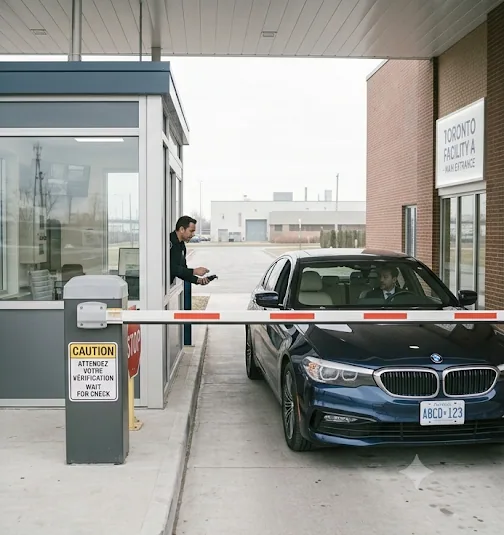
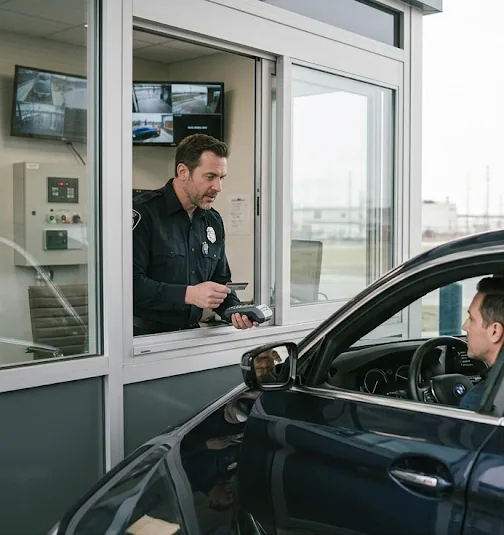
From the gate to the depot, every trip is logged and checked.
FAQ
Employee transport management system FAQs
What is employee transport management system?
It is a system that helps a company plan and run its own staff buses or vans. It keeps routes, stops, pickup times, seats, vehicles and drivers in one place, so the transport team can manage daily pick and drop for employees without spreadsheets and phone calls.
Can staff transport run more than one shift and more than one city?
Yes. Each route belongs to a shift, and each site works in its own local time. You can run routes for different shifts, branches and cities in the same account.
How do employees know which bus to take and the pickup time?
Every employee has a My Seat page that shows their route, boarding stop and pickup time. They can open it on a phone or a computer at any time.
Can employees ask for a seat or a change of route?
Yes. They send a seat request in Nexora. The transport manager approves or declines it, and the decision is recorded.
Does Nexora remind us when vehicle papers or driving licences expire?
Yes. You record expiry dates for vehicle documents and driving licences, and Nexora reminds the right people before each date arrives.
Is employee information in the staff transport system kept private?
Yes. Ordinary employees see only their own seat details. Passenger lists and addresses are visible only to the people who manage transport, and each company’s data is kept completely separate.
Do we need to buy the whole Nexora platform?
No. Nexora is sold by module on a subscription. You can start with Staff Transport and add other modules such as Visitor Management, Help Desk or Fleet whenever you are ready.
How quickly can an employee transport management system go live?
Most companies start with their current routes, buses and staff list, so an employee transport management system can run real trips within a few weeks. We import what you have, set up pickups and rosters, and train dispatchers before the first morning shift.
How does the Nexora employee transport management system compare with MoveInSync?
MoveInSync is a commute platform with AI routing, an employee app with live cab tracking, SOS tools and automated billing, sold after a demo. Nexora focuses on company run buses: routes with ordered stops, named seats, seat requests, My Seat pages and vehicle and licence reminders, on the same platform as your visitors, gate keeper and help desk, with setup done for you.
What are the pros and cons of the Nexora employee transport management system?
Its strengths are mapped routes with pickup times, named seats with capacity per route, seat requests with approvals, My Seat pages for employees and expiry reminders for vehicles and drivers. Its limits are no live bus tracking or SOS button today, no automatic route optimisation or billing, quote based pricing and no permanent free plan.
See the Nexora employee transport management system in action
If your company runs its own buses for employees, a short demo will show you how much time and money a proper staff transport system can save. We will set up a few of your real routes, stops and buses so you can see your own operation on the dashboard from day one.