
Solutions · Maintenance
Preventive maintenance software with work orders that raise themselves
Nexora Maintenance is preventive maintenance software: set the recurrence once and the schedule generates the work orders. Every job is linked to a real asset, so the equipment history builds itself as you go.
The problem today
Preventive maintenance is a discipline problem first
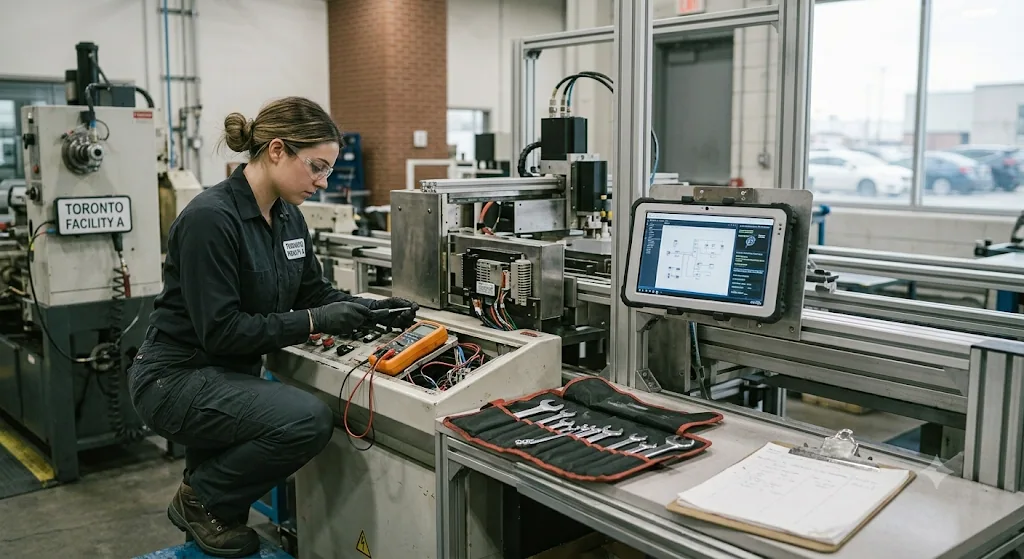
Preventive maintenance sounds simple. Everybody knows the pump needs servicing every three months. Whether it actually gets serviced every three months depends on whether somebody remembers in the middle of a week where three other things broke.
Nexora Maintenance takes the remembering away. You define the recurrence against the asset, and the scheduling engine generates the work orders on time, every time, whether anyone was thinking about it or not. Each job is tied to a specific piece of equipment from the shared asset register, so the maintenance history accumulates against the machine rather than in somebody’s head.
What goes wrong
Three ways a spreadsheet maintenance plan fails
The maintenance plan is a spreadsheet with dates in it, and one person keeps it.
The maintenance plan leaves with the person
When that person is on leave, the plan is on leave. When they leave the company, a surprising amount of institutional knowledge walks out with them, because half the plan was never really in the spreadsheet.
Jobs recorded against no specific asset
Jobs get done and recorded on paper, or not at all. The record rarely says against which specific unit, so three years of servicing cannot tell you which of your four identical pumps is the troublesome one.
No asset history for repair or replace
When the budget conversation asks whether to keep repairing a machine or replace it, there is no history to answer with, so the answer comes down to who argues best.
Key features
Maintenance scheduling features that build asset history
Planned work, one off jobs and field scanning, all against the same asset register.
Recurring maintenance schedules
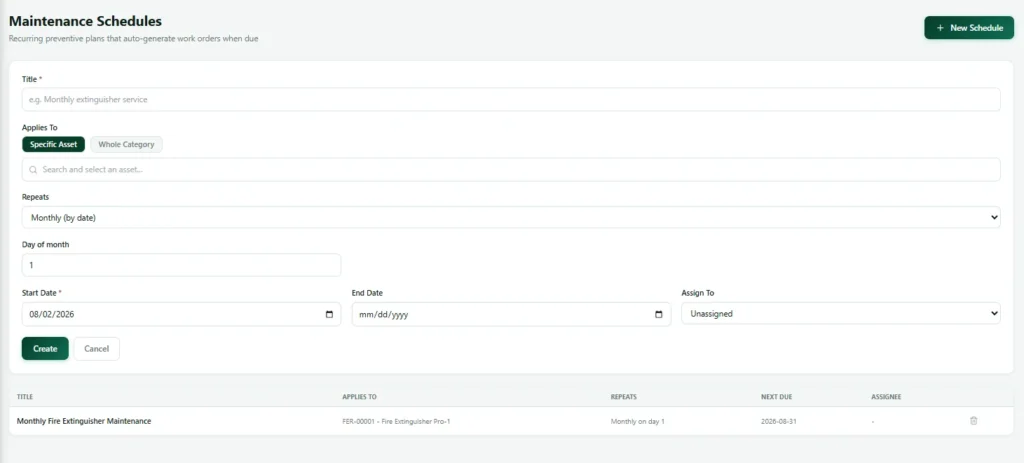
Define the recurrence against the asset once. The engine generates the work orders from then on.
Automatic work order generation
The scheduler runs on its own. Nobody has to remember, and nobody has to maintain a spreadsheet of dates.
Every job linked to an asset
Work orders point at a specific unit from the shared register, so history builds per machine rather than per description.
Scan the asset to open a job
Scan the QR tag on the equipment in the field and raise or open the job against that exact asset.
A one off work order when needed
Not everything is scheduled. Raise a one off work order whenever you need one, against the same asset register.
History on the asset page
Any asset shows its full maintenance history alongside its inspection history, in one view.
Recurring schedules
The schedule does the remembering
For preventive maintenance to work, you define what needs doing, against which asset, and how often. The recurrence engine takes it from there and generates the work orders as they come due.
A maintenance plan that depends on a person checking a spreadsheet is a plan that degrades quietly whenever that person is busy, and the degradation is invisible until something fails. A plan that generates its own work is either being done or visibly not being done, and both of those are better than not knowing. It also means the plan survives staff changes: the knowledge is in the system rather than in the head of the person who set it up.
Asset history
Every work order points at a real asset
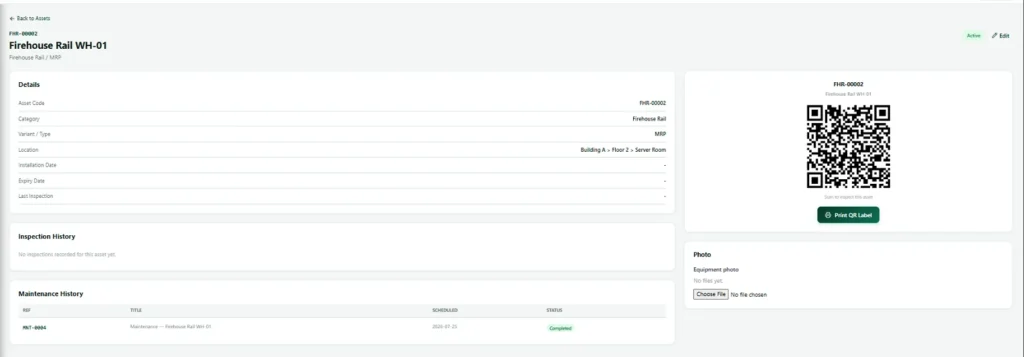
Work orders link to assets in the shared register, which is the same register the safety team uses for inspections. That link is what turns individual jobs into a history.
Open any asset and you see its maintenance history and its inspection history together. That single view is what a manager needs to make a repair or replace decision, and it is nearly impossible to assemble in a spreadsheet based process, because the underlying records never pointed at a specific unit in the first place.
Field work
Raise a work order from the asset itself
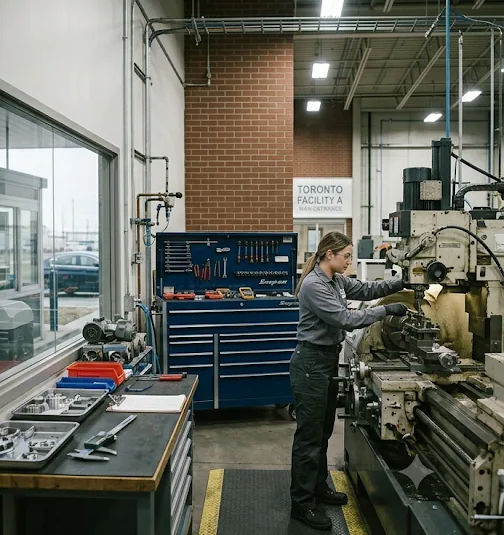
Scan the QR tag on the machine and raise or open a job against that exact asset. No searching a list, no picking the wrong unit from four identical entries, no writing a note to type up later. The practical effect is that jobs get raised at the moment somebody notices something, standing in front of it, rather than at the end of the day when three of the four things they meant to raise have been forgotten.
Ad hoc maintenance when you need it
Not everything is on a schedule. A one off work order can be raised at any time against the same asset register, so unplanned work still lands in the same place with the same links and shows up in the same history.
What is and is not included
The scope of this preventive maintenance software
We should be clear about the boundary, because it matters when you are comparing systems.
Maintenance in the product today
Planned and preventive work, and one off jobs, all against the shared asset register.
Maintenance on the roadmap
A full breakdown and corrective maintenance workflow, with fault reporting, technician assignment, downtime start and stop, and downtime cost on a dashboard. It is not in the product now.
Spare parts for maintenance: not planned
Spare parts inventory. If breakdown workflow is the thing you are buying for, say so early and we will tell you honestly where we are.
CMMS
Preventive maintenance software compared with a full CMMS
A CMMS, or computerised maintenance management system, is the traditional name for maintenance software. Full CMMS products often include spare parts stores, purchasing, labour costing and detailed downtime analysis. They suit large plants with dedicated maintenance planners, and they take months to set up.
Nexora takes a lighter route. Its preventive maintenance software covers what most sites actually struggle with: a schedule for every asset, a work order generated on time, a technician who can open the job from a QR tag, and a history that builds itself. Because it shares the asset register with safety, help desk and fleet, preventive maintenance stops being a separate island.
Good preventive maintenance is also a safety duty. Regulators such as the UK Health and Safety Executive expect work equipment to be maintained in a safe condition, with records to prove it. A schedule that raises its own work orders is the simplest way to show that you meet that duty.
What preventive maintenance software in Nexora covers:
- A schedule for every asset
- A work order generated on time
- Jobs opened from the QR tag
- History on each asset page
- Shared with safety, help desk and fleet
How it works
How maintenance work is generated and done
The scheduled path and the ad hoc path, both landing in the same place against the same asset.
Scheduled and ad hoc maintenance
Live view
A maintenance dashboard for what is due and outstanding
Work orders outstanding, what is coming due and which assets consume the most work.
Maintenance dashboard
Records & reporting
What a work order records, and what the manager sees
The evidence for a repair or replace decision, taken from your own records rather than from opinion.
| Record | What is captured |
|---|---|
| Work order reference | A reference number for the work order. |
| Asset | The asset it relates to, from the shared register. |
| The work | What the work is. |
| Source | Whether it came from a schedule or was raised ad hoc. |
| Assignment | Who it is assigned to. |
| Status and timing | Status through to completion, and timing. |
| Attachments | Attachments, kept permanently on the asset so its history accumulates. |
| View | What it answers |
|---|---|
| Outstanding work | Work orders outstanding and who is carrying them. |
| Coming due | What is coming due. |
| Heaviest assets | Which assets consume the most maintenance work. |
| Asset history | On any asset, the complete maintenance and inspection history in one view. |
Works with
Preventive maintenance software alongside your other modules
Nexora HSE and asset inspections
The shared asset register and QR tags, with inspection history shown next to maintenance history.
Nexora Help Desk
Internal tickets for every department, with boards and escalation.
Connected
How Maintenance connects to the rest of Nexora
Maintenance works best when it is part of the same picture as everything else a site does. In Nexora, every job points at a real asset from the shared register, so planned servicing, breakdown repairs and inspection findings build one history for each machine. When someone asks whether to keep repairing a unit or replace it, the answer is already on the asset page.
The connections run in several directions. Tickets raised in the help desk can lead to jobs. Findings from audits and inspections can become work orders against the same asset. Fleet vehicles and staff transport vehicles share the same records. Reminders run on their own, so scheduled work is generated and chased without anyone maintaining a calendar by hand.
Getting started
Getting started with preventive maintenance software
From asset list to schedules that run themselves.
- 1
Load each asset
Import your equipment list from Excel, validated before anything is created.
- 2
Define each maintenance schedule
Set the recurrence once against each asset.
- 3
Let each schedule run
Work orders generate automatically as they come due.
- 4
Scan the asset and record
Open and complete jobs from the QR tag on the equipment.
- 5
Learn from asset history
Use each asset’s record to decide repair or replace.
Honest view
Nexora preventive maintenance software pros and cons
What it does best, and where another tool may suit you better.
Pros of Nexora preventive maintenance software
- Set the recurrence once against an asset and the work orders generate themselves as they come due.
- Every work order points at a specific unit in the shared asset register, so history builds per machine.
- Scan the QR tag on the equipment to raise or open a job against that exact asset.
- One off work orders whenever you need them, landing in the same history as planned work.
- Maintenance history and inspection history shown together on each asset page.
- A dashboard for outstanding work, what is coming due and which assets take the most work.
- Same platform as help desk, assets, audits and fleet, with your equipment list imported from Excel and support in Canada, the UK, the Gulf and Pakistan.
Cons of Nexora preventive maintenance software
- No breakdown workflow with downtime tracking yet; it is on our roadmap.
- No spare parts inventory or purchase orders, which UpKeep, Fiix, Limble and MaintainX offer on paid plans.
- No public price list; you get a written quote based on users, sites and modules.
- No permanent free plan, unlike the limited free plans from Fiix and MaintainX.
- A younger product with a smaller public review base than the best known CMMS names.
Nexora suits companies that want planned maintenance done on time and a clean history for every asset, on the same platform as their help desk, inspections and fleet. If your plant runs on spare parts stores, purchasing and downtime analysis, a full CMMS such as Fiix or Limble may fit better today.
Comparison
Preventive maintenance software compared: Nexora vs UpKeep, Fiix, Limble and MaintainX
How Nexora compares with the preventive maintenance software companies shortlist most often, plus InnoMaint, a regional CMMS with customers in more than 15 countries. Pricing models are described rather than quoted, because vendors change their prices often.
| What matters | Nexora Maintenance | UpKeep | Fiix | Limble | MaintainX | InnoMaint |
|---|---|---|---|---|---|---|
| Main focus | Preventive maintenance on a platform for every department | CMMS and asset management | CMMS from Rockwell Automation | CMMS | CMMS and work order software | CMMS with sensor based monitoring |
| Same platform runs help desk, fleet, visitors, gate passes and permits | Yes, as Nexora modules | No | No | No | No | No |
| Recurring preventive schedules | Yes, set once against each asset | From the Premium plan | Unlimited on paid plans; 25 on the free plan | Unlimited on all plans | Unlimited on paid plans; 2 on the free plan | Yes, with a 52 week calendar |
| Work orders | Generated by schedule or raised one off | Unlimited on all plans | Unlimited on all plans | Procedures limited on the Standard plan | Unlimited on all plans | Work orders and service requests |
| Maintenance and inspection history on one asset page | Yes, shared with the safety team | Not described | Not described | Not described | Not described | Not described |
| Spare parts inventory and purchase orders | No | Parts from Premium; purchase orders on Enterprise | Parts on every plan; purchasing on most plans | From the Premium+ plan | From the Premium plan | Spare parts inventory listed |
| Pricing model and free option | Quote per company; free demo on your own assets | Per user on lower plans, quote on higher ones; free trial | Free plan with limits; per user paid plans | Tiered plans with a price calculator; demo | Free plan with limits; per user paid plans | Quote from sales; free trial |
| Setup and data import | Done for you, from your Excel list | Implementation packages sold as add ons | Self serve, with a free tour and demos | Self serve or vendor help | Self serve or vendor help | Through the vendor |
| Local support in Canada, the UK, the Gulf and Pakistan | Yes, direct from ApexGenTech | Through the vendor | Through the vendor | Through the vendor | Through the vendor | Through the vendor |
Based on each vendor’s published features in November 2026. ApexGenTech builds Nexora. Check current plans on each vendor’s website before buying.
Nexora vs UpKeep
Choose Nexora when maintenance must sit on one platform with your help desk, inspections and fleet, with setup done for you. Choose UpKeep when you want a standalone CMMS with parts inventory and its own mobile apps.
Nexora vs Fiix
Choose Nexora when planned work and asset history matter more than stores and purchasing. Choose Fiix when you need parts inventory, purchasing and ERP links in a CMMS backed by Rockwell Automation.
Nexora vs Limble
Choose Nexora when other departments share the same asset register and you want local support. Choose Limble when you need meter based schedules, spare parts and purchase orders in one maintenance tool.
Nexora vs MaintainX
Choose Nexora when you want setup and data import done for you on a platform for every department. Choose MaintainX when you want to start on a free plan and grow into parts, purchasing and sensor links.
Nexora vs InnoMaint
Choose Nexora when maintenance, help desk, visitors and permits should run on one platform with support in Canada and the UK as well. Choose InnoMaint when you need sensor based monitoring or an on premises CMMS.
Related: Maintenance jobs attach to the asset register, can start from help desk tickets, and cover vehicles. Findings from audits and inspections can become jobs too.
CMMS software
CMMS software for preventive maintenance teams
CMMS software, short for computerised maintenance management system, is where maintenance teams keep their assets, schedules, work orders and spare parts. Nexora Maintenance gives you that CMMS software inside the same platform as your asset register, permits to work and incident reporting, so a breakdown, the permit to repair it and the safety record all link together.
A preventive maintenance plan only works when the right job reaches the right technician on time. Nexora creates work orders automatically from calendar or meter based schedules, sends them to the mobile app, and records photos, readings and parts used, giving managers live figures for overdue jobs and downtime.
FAQ
Preventive maintenance software FAQs
Is Nexora Maintenance a CMMS software?
Yes. Nexora Maintenance is CMMS software for preventive and corrective maintenance, with assets, schedules, work orders, spare parts and a mobile app for technicians.
Does it handle breakdown maintenance?
Not today. The module covers planned and preventive work and ad hoc jobs. A full breakdown workflow with downtime tracking is on our roadmap and we would rather tell you now.
Is there spare parts inventory in Nexora?
No, and it is not close on the roadmap. If parts inventory is essential to you, tell us early rather than late.
Can technicians raise a work order from the field?
Yes. Scanning the QR tag on the equipment opens the maintenance flow against that exact asset.
How does a maintenance schedule survive somebody leaving?
They live in the system rather than in a spreadsheet on one person’s machine. That is much of the point.
Can we import our existing maintenance plan?
Your equipment list can be imported as part of setup. Talk to us about your specific plan format in a demo and we will be straight about what transfers cleanly.
Is Nexora a CMMS for preventive maintenance?
For planned and preventive maintenance, yes: Nexora generates work orders from schedules, links every job to an asset and keeps the history. It does not yet include breakdown downtime tracking or spare parts, which some full CMMS products do.
What does preventive maintenance software actually do?
Preventive maintenance software turns each service plan into work orders that appear on time, assigns them to technicians, records what was done and which parts were used, and shows what is overdue. Good preventive maintenance software cuts breakdowns because nothing depends on someone remembering.
How does Nexora preventive maintenance software compare with UpKeep?
UpKeep is a well known standalone CMMS with parts inventory on its higher plans. Nexora focuses on planned work and asset history, and runs on the same platform as your help desk, inspections and fleet, with setup and data import done for you.
What are the pros and cons of Nexora preventive maintenance software?
Its strengths are schedules that raise their own work orders, jobs linked to real assets, QR scanning and one history for maintenance and inspections. Its limits are quote based pricing, no permanent free plan, no spare parts inventory and no breakdown downtime tracking yet.
See a schedule raise its own work
We will set up a recurrence against one of your asset types and show the whole path to history.