
Solutions · Staff Transport
Employee transport management system for buses, routes and seats
Nexora Staff Transport puts your whole employee transport operation on one screen, so you always know which routes are running, who sits where, how many seats are free and which vehicles and drivers are ready for the road.
Overview
Staff transport management software for employee buses
Every morning, hundreds of your people step out of their homes and wait for a company bus. If that bus is late, full, or takes the wrong road, your shift starts late, your production line waits and your HR team spends the day answering calls. Nexora Staff Transport puts your whole employee transport operation on one screen.
Nexora is a cloud based operations platform used by factories, plants, offices, hospitals, schools and construction sites. Its employee transport management system is built for companies that run their own pick and drop service for employees, whether that is four buses in one city or a large fleet covering several shifts and branches.
The problem
Why companies need an employee transport management system
Most companies still run staff transport on spreadsheets, WhatsApp groups and phone calls. It works until it does not. A driver leaves, a new joiner needs a seat, a route gets too crowded, a vehicle fitness certificate expires and nobody notices until the bus is stopped on the road.
With dedicated employee transport management system you replace guesswork with clear records. The result is fewer late arrivals, fewer complaints, better use of every bus and a transport team that spends its time solving problems instead of chasing information.
What changes with proper employee transport records:
- Every route has a code, a name, a bus, a driver and a list of stops in order.
- Every stop has a pickup time, so employees know exactly when to be there.
- Every seat is assigned to a named person, so you can see true bus capacity at any moment.
- Every request for a seat or a change goes through a simple approval, so nothing gets lost in chat messages.
- Every vehicle document and driving licence has an expiry date that Nexora watches for you.
Dashboard
The employee transport dashboard: your whole operation at a glance
When your transport manager opens Nexora, the first thing they see answers the questions they are asked every single day.
Each route running
How many bus routes are active right now.
People with a seat
How many employees have a confirmed seat across every route.
Each seat free
How many seats are still open, out of your total capacity.
A route without a bus
Any route with no vehicle assigned, so it can be fixed before the next shift.
Below the summary, every route is listed with its code, name, shift, bus number, driver, number of stops and a clear seat bar showing how full it is, for example 9 of 14 seats taken. A route that is filling up stands out straight away, so you can move people or add a vehicle before anyone is left standing at the stop. You can search by route code, route name, bus number or driver name, so when a manager gets a call saying the Route 4 bus did not come, they find the route, the driver and the vehicle in seconds.
Route planning
Route planning with stops, pickup times and a real road map
Good routes are the heart of any employee shuttle service. In Nexora you build each route as an ordered list of stops, from the first pickup point to your head office, plant or site.
- 1Name each stopA park, market, chowk or main road junction your employees already know.
- 2Pin it on the mapThe exact location of the stop, so drivers and riders agree on the spot.
- 3Set the pickup timeShown in the time of the site, so 7:15 reads 7:15 for everyone, even a manager checking from another country.
- 4See the road lineNexora draws the route along real roads between stops, with the expected travel time.
- 5Adjust in minutesMove a stop, change a time or swap a bus, and the update reaches everyone who needs it.
Following actual roads rather than straight lines makes it much easier to spot a stop that is out of the way, a route that has grown too long, or two routes that could be joined. Road travel times come from the Google Maps Platform, so your timetable can be checked against reality.
Capacity
Seat allocation and bus capacity for employee transport
Running out of seats is one of the most common problems in employee transport. Nexora treats every seat as something that belongs to a real person.
This gives HR and administration a true picture of transport capacity across the company. You can plan new buses based on facts, show management exactly how full each route is, and make sure the cost of every vehicle is matched by the number of people it carries.
How seat allocation works:
- Each employee is assigned to a route and a boarding stop.
- The system counts seats taken against the capacity of the bus on that route.
- Managers see where there is room and where a route is close to full.
- When a route is full, you know before you promise a seat to a new joiner.
Seat requests
Seat requests and approvals, without the phone calls
New joiners, people who move house and staff who change shifts all need a seat on a different route. Instead of calling the transport office, employees raise a seat request in Nexora.
- 1Choose a route and stopThe employee picks the route and pickup stop that suits them.
- 2Request reaches transportThe request goes to the people who manage employee transport.
- ApprovedThe seat is assigned with one click.DeclinedThe employee is told, with the decision recorded.
- 4Everyone sees the statusNobody has to ask twice, and the record stays for audits.
Every request is recorded with who asked, when and what was decided. When an auditor or a senior manager asks why someone was moved to a particular bus, the answer is already there.
My Seat
My Seat: every employee knows their bus and pickup time
Employees get their own simple page called My Seat. It shows their route, their boarding stop and their pickup time. There is no need to ask a supervisor or search an old message. If something changes, the employee sees the new details the next time they open the page.
Privacy is respected throughout. Ordinary employees see their own seat and the information they need to catch the bus. The full passenger lists, who sits on which bus and where they live, are kept for the people who manage transport. This matters for companies with many staff, and it matters even more for women employees and for sites with strict security rules.
Fleet
Fleet, vehicles and driver records next to every route
A staff bus is only as reliable as the vehicle and the person driving it. Nexora connects your transport routes to the Fleet section of the platform, so vehicle and driver records sit right next to the routes they serve.
Nexora sends reminders before important dates arrive, so an expired licence or a lapsed fitness certificate never comes as a surprise at a police checkpoint. This is one of the quickest ways to cut fines, avoid buses being taken off the road and protect your company if there is ever an accident.
Fleet records linked to each route:
- Vehicle register: buses, vans, coasters and cars with their registration number, type and details.
- Vehicle documents: registration, fitness certificate, insurance and route permit, each with its own expiry date.
- Driving licences: each driver’s licence number, class and expiry date.
- Service schedules: regular maintenance so a bus is serviced before it breaks down on a route.
Built for real operations
Employee transport management system built for Pakistan, the Gulf and beyond
Nexora is used where staff transport is part of everyday business life: textile mills, manufacturing plants, pharmaceutical factories, logistics hubs, hospitals, banks, call centres, schools and construction projects.
Staff transport for every shift
Run general, morning, evening and night shift routes side by side.
Each site in its own pickup time zone
Every branch works in its own local time, so pickup times are always correct.
Light on data for staff transport
Pages load quickly even on slower internet connections, which matters in many parts of Pakistan, the Middle East and beyond.
Seat details on any device
Transport managers use a computer, while employees check their seat from a phone browser.
Secure and private Nexora data
Each company’s data is kept separate, every user sees only what their role allows, and backups are encrypted and stored offsite.
Lower transport cost per seat
Better use of each bus and fewer late arrivals, measured from your own records.
One platform
Staff transport as part of one Nexora operations platform
Staff Transport is one module of Nexora, so it works hand in hand with the rest of your operations. The same employee records are used across Help Desk, Visitor Management, Gate Keeper, Work Permits, Training, Cafeteria, Asset Management and QHSE. You add a person once, and they are ready for every module your company uses.
Because the employee transport management system shares one platform, there is less double entry, one login for your people, one place for your administration team and one supplier to deal with. You can start with employee transport alone and add other modules later as your needs grow, paying only for what you use. See how modules are priced.
Employee transport benefits at a glance:
- Clear view of every route, bus, driver and seat on one dashboard
- Accurate pickup times shown in local site time
- Real road maps for every route, built from your stops
- Fair, visible seat allocation with no double booking
- Seat requests and approvals with a full record
- My Seat page so employees always know their bus
- Vehicle document and driving licence expiry reminders
- Fewer late arrivals and fewer calls to HR and administration
In practice
Employee transport management system in practice
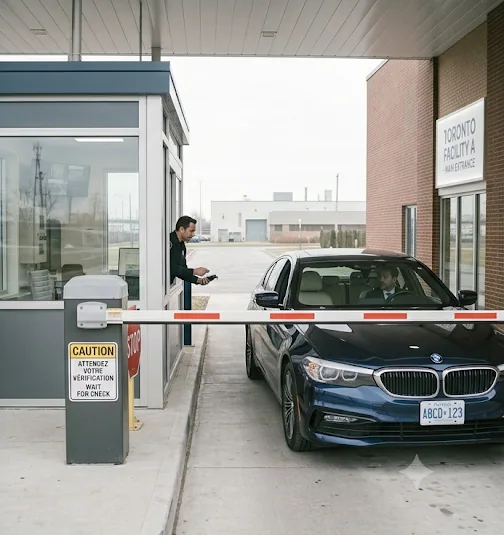
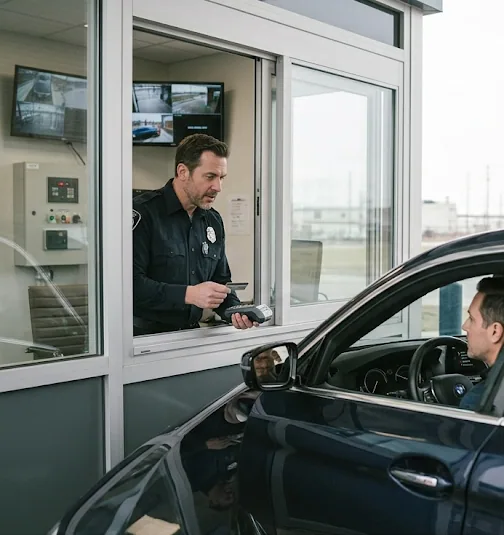
From the gate to the depot, every trip is logged and checked.
FAQ
Employee transport management system FAQs
What is employee transport management system?
It is a system that helps a company plan and run its own staff buses or vans. It keeps routes, stops, pickup times, seats, vehicles and drivers in one place, so the transport team can manage daily pick and drop for employees without spreadsheets and phone calls.
Can staff transport run more than one shift and more than one city?
Yes. Each route belongs to a shift, and each site works in its own local time. You can run routes for different shifts, branches and cities in the same account.
How do employees know which bus to take and the pickup time?
Every employee has a My Seat page that shows their route, boarding stop and pickup time. They can open it on a phone or a computer at any time.
Can employees ask for a seat or a change of route?
Yes. They send a seat request in Nexora. The transport manager approves or declines it, and the decision is recorded.
Does Nexora remind us when vehicle papers or driving licences expire?
Yes. You record expiry dates for vehicle documents and driving licences, and Nexora reminds the right people before each date arrives.
Is employee information in the staff transport system kept private?
Yes. Ordinary employees see only their own seat details. Passenger lists and addresses are visible only to the people who manage transport, and each company’s data is kept completely separate.
Do we need to buy the whole Nexora platform?
No. Nexora is sold by module on a subscription. You can start with Staff Transport and add other modules such as Visitor Management, Help Desk or Fleet whenever you are ready.
How quickly can an employee transport management system go live?
Most companies start with their current routes, buses and staff list, so an employee transport management system can run real trips within a few weeks. We import what you have, set up pickups and rosters, and train dispatchers before the first morning shift.
See the Nexora employee transport management system in action
If your company runs its own buses for employees, a short demo will show you how much time and money a proper staff transport system can save. We will set up a few of your real routes, stops and buses so you can see your own operation on the dashboard from day one.