Preventive Maintenance Checklist: 25 Proven Checks

A preventive maintenance checklist turns good intentions into work that actually happens. Everyone agrees that pumps should be serviced, filters changed and fire extinguishers checked. The trouble is remembering, assigning and proving it, week after week, while urgent breakdowns compete for the same people.

Below is a preventive maintenance checklist with 25 checks that suit most offices, factories, warehouses, hospitals and schools. Use it as a starting point, then adapt the intervals to your equipment manuals and local rules.

What preventive maintenance is, and why a checklist matters

Preventive maintenance is work done on a schedule to stop failures before they happen, rather than fixing things after they break. It covers inspections, cleaning, lubrication, adjustments and part replacements at set intervals or after a set amount of use.

A preventive maintenance checklist makes that work repeatable. Each task has a clear description, an interval, a responsible person and a record of when it was done. Without a checklist, maintenance depends on memory, and memory fails exactly when the team is busiest.

Technician working through a preventive maintenance checklist

Preventive maintenance checklist for equipment and machines

  1. Check oil and lubricant levels and top up or change them at the interval in the manual.
  2. Inspect belts, chains and couplings for wear, tension and alignment.
  3. Clean or replace air and fluid filters.
  4. Listen and feel for unusual noise, vibration or heat, and record readings where you have sensors.
  5. Test emergency stops, guards and interlocks.
  6. Calibrate gauges, scales and measuring tools that affect product quality.

Record the meter reading or running hours with each check. Many machines need servicing by hours run rather than by calendar date, and a preventive maintenance checklist that tracks both catches the machines working harder than planned.

Preventive maintenance checklist for buildings and facilities

  1. Service heating, ventilation and air conditioning units, including filters and drains.
  2. Inspect the roof, gutters and drains, especially before the rainy season.
  3. Test generators under load and check fuel levels and quality.
  4. Check lifts and doors against the maintenance contract and inspection certificates.
  5. Inspect plumbing for leaks, and flush water outlets that are rarely used.
  6. Check lighting, including exit signs and emergency lighting duration.

Workshop equipment kept on a preventive maintenance schedule

Preventive maintenance checklist for vehicles and fleet

  1. Service each vehicle by distance or date, whichever comes first.
  2. Check tyres for pressure, tread depth and damage.
  3. Test brakes, lights, horn and wipers before vehicles go out.
  4. Track registration, insurance and roadworthiness documents with reminders before they expire.

Daily driver checks catch most problems early. A short checklist on a phone takes two minutes and gives you a record that the vehicle was safe when it left. Our fleet management software runs those checks and links them to servicing.

Preventive maintenance checklist for safety systems

  1. Inspect fire extinguishers monthly and arrange annual servicing.
  2. Test fire alarms and smoke detectors on the schedule your local rules require.
  3. Check first aid kits, eye wash stations and safety showers.
  4. Inspect ladders, harnesses and lifting equipment, and remove anything damaged from use.

Safety system checks are often required by law, so keep the evidence. The US Occupational Safety and Health Administration and similar regulators in other countries expect records that show inspections happened, not just a policy that says they should.

Preventive maintenance checklist for IT systems

  1. Apply operating system and application updates on a set schedule.
  2. Check that backups ran and test a restore every month.
  3. Review disk space, server health and warranty dates.
  4. Clean dust from servers, network cabinets and computer vents.
  5. Check that the uninterruptible power supply holds its load and replace batteries on time.

IT maintenance is easy to forget because nothing looks broken until it fails. Our IT support services include patching and backup checks, and the 3 2 1 backup rule explains how to keep backups safe.
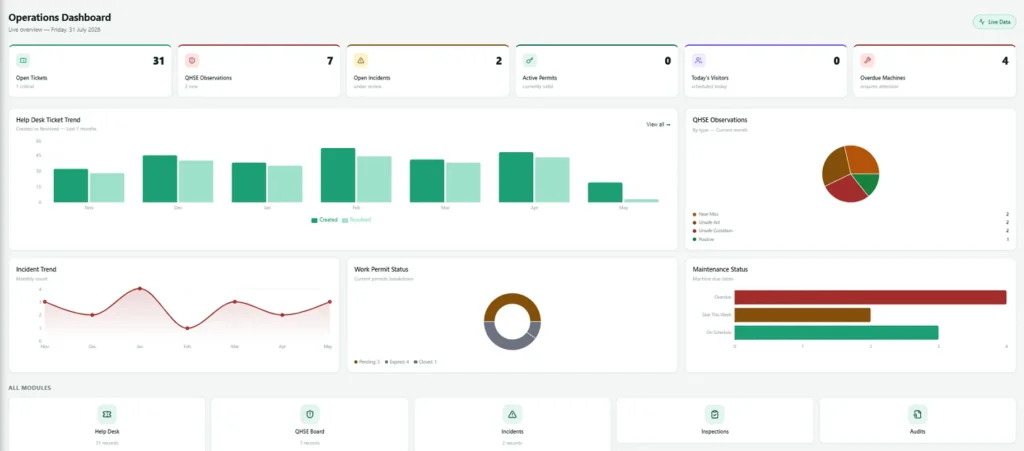
Maintenance dashboard showing work orders due and overdue

How to turn a preventive maintenance checklist into a schedule

A checklist on paper is a good start, but it does not remind anyone. To make it stick:

  • List your assets. Every machine, vehicle and building system that needs care, with its location and manual.
  • Set intervals. Use the manufacturer manual first, then adjust using your own failure history.
  • Assign owners. Every task needs a named person or team, not just a department.
  • Create work orders automatically. When a task is due, a work order should appear without anyone remembering to raise it.
  • Record what was done. Parts used, readings taken, photos and the technician who signed it off.
  • Review overdue work weekly. Overdue maintenance is a risk register in disguise.

Spreadsheets can do some of this for a small site, but they do not send reminders or hold photos. Preventive maintenance software turns each line of your preventive maintenance checklist into recurring work orders, so nothing depends on memory.

How often to review your preventive maintenance checklist

Review the checklist every six to twelve months. Look at what broke anyway, what was serviced too often and what new equipment arrived. A preventive maintenance checklist that never changes slowly drifts away from the equipment you actually have.

Use failure data honestly. If a pump fails twice between services, shorten the interval or change the task. If a check never finds anything after two years, you may be able to stretch it and give the time to something more useful.

Measuring whether your preventive maintenance checklist works

A checklist is only useful if it reduces breakdowns. Track a few simple measures every month and look at the trend rather than single numbers.

  • Completion rate: the share of scheduled tasks finished on time. Aim for steady improvement before chasing perfection.
  • Overdue tasks: how many checks are late, and for how long. Old overdue items deserve attention first.
  • Breakdowns: unplanned failures per month, especially on equipment that is on the checklist.
  • Repeat failures: the same fault on the same machine within a short time, which usually means the task or interval is wrong.
  • Planned versus reactive work: as preventive maintenance improves, a larger share of technician time goes to planned work.

Share these numbers with the people who do the work. Technicians often know exactly why a task is skipped, such as missing parts, unclear instructions or a machine that cannot be stopped during production. Fixing those reasons does more than any reminder.

Spare parts and your preventive maintenance checklist

Many maintenance tasks fail because the part is not in stock on the day. Link each task on your preventive maintenance checklist to the parts it needs, such as filters, belts and oil, and keep a minimum stock for anything used on a schedule.

Review stock levels when you review the checklist. If a filter is changed every three months on twelve machines, you already know how many to order for the year. Ordering ahead also lets you buy in bulk and avoid paying rush prices when a breakdown forces an urgent purchase.

Finally, keep manuals and supplier contacts with each asset record. When a technician is standing in front of a machine, the right instruction and the right phone number should be one scan away, not in a filing cabinet in another building.
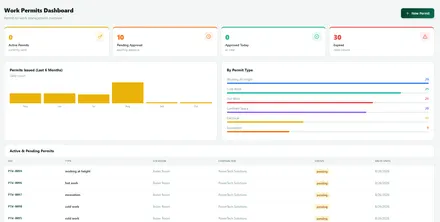
Permit to work dashboard used before risky maintenance tasks

Getting technicians to use the checklist

The best preventive maintenance checklist fails if it feels like extra paperwork. Keep each task short and specific, put it on the phone technicians already carry, and let them add a photo instead of a long note. Ask them to suggest changes, because they see the equipment every day and often spot a better interval or a missing check.

Recognise good work too. When a planned check catches a fault before it becomes a breakdown, tell the team. Those stories do more to build the habit than any instruction from management.

Preventive maintenance checklist FAQs

What should a preventive maintenance checklist include?

Each line should name the asset, the task, the interval, the person responsible and what to record. Good checklists also link to the manual or a short instruction, so a new technician can do the job safely.

What is the difference between preventive and predictive maintenance?

Preventive maintenance follows a schedule. Predictive maintenance uses readings such as vibration or temperature to service equipment only when it shows signs of wear. Most sites start with a preventive maintenance checklist and add prediction for their most critical machines.

Can a small business use a preventive maintenance checklist?

Yes. Even a small office has air conditioning, a generator, fire equipment and computers. A short preventive maintenance checklist for those items prevents most expensive surprises.

Want this checklist running as automatic work orders? Contact us and we will set up your preventive maintenance checklist in Nexora with your own assets and intervals.


Software License Compliance: 7 Proven Steps to Pass Audits

Software license compliance means using software only in the ways your licences allow: the right number of users or devices, the right editions and the right places. It sounds like paperwork until a vendor audit letter arrives and asks you to prove every installation within weeks.

Audits from large vendors are routine, and the bills for gaps can be large. The good news is that software license compliance is mostly about habits. These seven steps are the ones we use with clients in Canada, the UK, the Gulf and Pakistan.

Why software license compliance matters

There are three reasons to take software license compliance seriously.

  • Audit costs. Vendors can charge list price for every unlicensed copy they find, sometimes with back support fees on top.
  • Security. Unlicensed or cracked software rarely gets updates and often carries malware. Industry groups such as the BSA, the software alliance, have long linked unlicensed software with higher malware risk.
  • Wasted money. Compliance work usually finds unused licences too, so you often pay less afterwards, not more.
Managers reviewing software license compliance before renewal

Step 1: Build a software inventory

You cannot be compliant with software you do not know about. Start with a list of every application installed on computers and servers, plus every cloud subscription. Device management tools, endpoint agents and your finance records of software spending all help.

Include virtual machines and cloud servers. Licensing rules for server software often count processor cores or virtual machines, so a forgotten test server can create a large gap.

Step 2: Gather your entitlements

Next, collect proof of what you own: invoices, licence certificates, agreement numbers and the vendor portals where subscriptions are listed. For Microsoft that means the admin centre and any volume licensing agreements. For Adobe it is the Admin Console. For Oracle and SAP it is your contracts.

Keep everything in one place. Software license compliance often fails simply because nobody can find the invoice from five years ago.

Step 3: Understand the licensing rules

Every vendor counts differently. Some license per user, some per device, some per processor core, and some by revenue or employee count. Editions matter too, because features used without the right edition can count as unlicensed.

The vendors with the most complex rules are the ones that audit most: Microsoft, Oracle, SAP, Adobe, Autodesk and VMware. Our pages on Oracle licensing and VMware licensing explain the traps we see most often.

IT team checking installations for software license compliance

Step 4: Compare and find the gaps

Match what you run against what you own. The result is a position for each product: licensed, short or over licensed. Write it down with the evidence behind each number, because that is exactly what an auditor will ask for.

Common gaps include Office installed on home computers, design software shared between people, database servers moved to more powerful hardware, and Java installed widely without a subscription.

Step 5: Fix gaps the cheap way

Not every gap needs a new licence. Often the cheaper fix is to uninstall software nobody uses, move a workload to a smaller server, switch to a different edition, or reassign licences from people who left.

Where you do need to buy, a reseller can help you choose the right model. Our software licensing team compares options before quoting, so software license compliance does not become an excuse to overspend.

Step 6: Handle a software license audit calmly

If an audit letter arrives, do not panic and do not send data straight away. Read the agreement clause that allows the audit, agree the scope and timeline in writing, and run your own count before sharing anything.

  • Name one person to manage all communication with the auditor.
  • Share only what the scope requires.
  • Check every finding against your own records before accepting it.
  • Negotiate the settlement, including credit for licences you already own.

A calm, documented response often reduces the final figure a great deal.

Dashboard tracking licences, owners and renewal dates

Step 7: Keep software license compliance going

Compliance is not a one time project. Build simple routines:

  • Remove licences on the day someone leaves.
  • Require approval before new software is installed or bought.
  • Review the inventory before every renewal.
  • Keep a register of licences, owners and renewal dates, for example in an asset tracking software register.

Once these habits are in place, software license compliance takes a few hours each quarter instead of a crisis every few years.

Software license compliance in different countries

The rules come from the vendor contract, so they are the same everywhere, but enforcement differs. In Canada and the UK, vendor audits are routine for midsize firms. In the UAE, Saudi Arabia and Qatar, audits often follow large projects or government tenders. In Pakistan, enforcement has grown as more businesses move to cloud subscriptions and work with international clients who ask for proof of genuine software.

Wherever you are, genuine licences bought through an authorised reseller are the simplest proof of good faith.

Company assets and devices that need genuine software licences

Cloud subscriptions and software license compliance

Cloud services make some parts of software license compliance easier, because the vendor counts users for you. They also create new gaps. Shared logins break most subscription terms, free trials quietly become paid plans, and staff sign up for tools with company cards that nobody in IT knows about.

Review cloud subscriptions as carefully as installed software. Check who owns each account, whether every user is a named person, and whether the plan matches what the team actually uses. Single sign on helps a great deal, because it shows which apps people log in to and lets you remove access in one place when someone leaves.

Watch for bring your own licence rules when moving servers to the cloud. Windows Server, SQL Server and Oracle all have specific rules for cloud use, and moving a server without checking them is one of the fastest ways to create a large compliance gap.

Who should own software license compliance

In most companies nobody owns it, which is why gaps grow. Give one person responsibility for the licence register, with support from IT for installations and from finance for purchases. That person does not need to be a licensing expert, because a reseller can explain the vendor rules, but they do need the authority to say no to unapproved software.

Report the position to management once a year with a simple summary: products in use, licences owned, gaps found, money saved by removing unused licences, and any audits expected. Seen this way, software license compliance becomes a cost control habit rather than a legal worry.

Technician recording installed software for the licence register

Common myths about software license compliance

  • “We bought it, so we can install it anywhere.” Most licences limit where and how many times software can be installed, and home use is often not included.
  • “Cloud means we cannot be out of compliance.” Shared logins, wrong plans and server licences moved to the cloud all create gaps.
  • “Vendors only audit large companies.” Midsize firms are audited regularly, especially after a merger or rapid growth.
  • “Free versions are free for business.” Many free editions are licensed for personal or educational use only.

Checking each myth against your own setup is a quick first step toward software license compliance.

Software license compliance FAQs

What is software license compliance?

It means using software only within the terms of your licences: the right number of users, devices or cores, the right editions and the right locations, with proof of purchase for each.

How often should we check software license compliance?

Do a full review once a year and a lighter check before each renewal. Large changes, such as a merger or moving servers to the cloud, need a check straight away.

Can a reseller help with a software license audit?

Yes. A reseller can count your position, explain the vendor rules, find cheaper fixes and supply any licences you need. We support clients through audits for Microsoft, Oracle, SAP, Adobe and others.

Worried about a vendor audit? Contact us and we will review your software license compliance and show you where you stand before anyone else does. We will list every gap, the cheapest way to close it and the licences you could stop paying for, so the review often pays for itself at the next renewal.

Google Workspace vs Microsoft 365: Best Fit for 2026 Teams

Google Workspace vs Microsoft 365 is one of the first choices a growing company makes, and one of the hardest to undo. Both give you business email, calendars, file storage, video meetings and documents. Both are reliable and secure when set up properly. The differences sit in how your team works, which apps your clients expect and how much control your IT people need.

As an authorised reseller of both, we sell whichever fits. This guide compares Google Workspace vs Microsoft 365 the way we do with clients, so you can decide with confidence.

Google Workspace vs Microsoft 365 at a glance

Area Google Workspace Microsoft 365
Main apps Gmail, Docs, Sheets, Slides, Meet, Drive Outlook, Word, Excel, PowerPoint, Teams, OneDrive
Way of working Browser first, real time editing Desktop apps plus web and mobile versions
Business plans Starter, Standard, Plus, up to 300 users Basic, Standard, Premium, up to 300 users
Device security Endpoint management, stronger in higher plans Intune and Defender for Business in Business Premium
AI assistant Gemini built into business plans Copilot, mostly as an add on

Plans and prices change often, so always check the current details on the Google Workspace and Microsoft websites, or ask us for a quote.

Apps and daily work

Google Workspace was built for the browser. Several people can edit a document at once without thinking about versions, and everything saves automatically. Teams that live in shared documents, such as agencies, schools and startups, often find it simpler.

Microsoft 365 includes the full desktop versions of Word, Excel and PowerPoint in Business Standard and Business Premium. If your finance team builds complex Excel models, or your clients send Word files with tracked changes and macros, the desktop apps still matter. This is often the deciding point in Google Workspace vs Microsoft 365.

Office team comparing Google Workspace vs Microsoft 365 for daily work

Email and calendars

Gmail and Outlook are both excellent. Gmail is fast and its search is hard to beat. Outlook suits people who manage many shared mailboxes, rooms and delegated calendars, which is common in larger offices and for personal assistants.

Moving email between the two is routine. We migrate mail, calendars and contacts with their history, so the choice of Google Workspace vs Microsoft 365 does not have to be permanent, although it is easier to choose well the first time.

Storage and file sharing

Google Workspace pools storage across the company in its business plans, and Drive makes sharing simple. Microsoft 365 gives each user OneDrive storage and uses SharePoint for team sites, which is more structured and suits companies with formal document control.

Either way, set sharing rules from day one. Most data leaks we find in audits come from files shared with anyone who has the link, not from weak passwords.

Security: Google Workspace vs Microsoft 365

Both platforms are secure at the core, with multifactor sign in, encryption and strong spam filtering. The difference is in the extra controls each plan includes.

  • Microsoft 365 Business Premium adds Intune device management, Defender for Business endpoint protection and conditional access, which can block sign in from unmanaged or risky devices. For many small firms it replaces a separate antivirus and device management product.
  • Google Workspace Business Plus adds Vault for retention and legal holds, plus stronger endpoint management. Higher Enterprise plans add more advanced controls.

If your clients or insurer ask about device control, Business Premium usually answers more of their questions out of the box. Read more on our Microsoft 365 Business Premium page.

Security team reviewing sign in alerts and device compliance

AI assistants

Google has built Gemini into its Workspace business plans, so most users can draft emails, summarise documents and get help in Docs and Sheets without an extra licence. Microsoft offers Copilot, which works across Word, Excel, Outlook and Teams and is mostly sold as an add on.

AI is improving fast on both sides. Choose the platform that fits your work first, then add AI where it saves real time. Our AI integration services help teams use either assistant with their own data safely.

Administration and control

The Google admin console is simple and quick to learn, which suits companies without a dedicated IT person. Microsoft 365 admin centres offer more depth, especially for identity, devices and compliance, which suits companies with IT staff or a support partner.

Whichever you choose, someone needs to own users, licences and security settings. Our IT support services can take that on for you.

Cost: Google Workspace vs Microsoft 365

List prices per user are close at each level, so the real cost depends on what you would otherwise buy separately. If Microsoft 365 Business Premium replaces a separate antivirus and device management tool, it can work out cheaper overall. If your team only needs email, documents and meetings, a Google Workspace Business Standard plan is often enough.

Count licences carefully. Unused accounts for people who left are the most common waste we find, on both platforms. Our software licensing team reviews this at every renewal.

Managers planning licence costs for the next year

How to decide

  • Choose Microsoft 365 if your team relies on desktop Excel or Word, your clients send Office files, or you need device management and conditional access built in.
  • Choose Google Workspace if your team works mostly in the browser, shares documents constantly and wants the simplest administration.
  • Consider a mix only with care. Running both doubles admin work, but some companies give a few specialists Microsoft desktop apps while everyone else uses Google Workspace.

Migration: what moving to either platform involves

Whichever side wins the Google Workspace vs Microsoft 365 decision, the move follows the same steps. Plan these before you buy, because the migration often takes more effort than the subscription itself.

  1. Inventory: list mailboxes, shared mailboxes, calendars, shared drives and any apps that send email through your domain.
  2. Licences: buy the right plan for each group of users rather than one plan for everyone.
  3. Copy data: move mail, calendars and files in the background while people keep working.
  4. Switch: change your domain records at a quiet time so new mail arrives in the new system.
  5. Clean up: copy any last changes, then close the old accounts so you stop paying for them.

Plan training for the first week. People adapt quickly when someone shows them how to find their mail, share a file and join a meeting on day one.

Industry and compliance needs

Some sectors lean one way. Accounting and legal firms often choose Microsoft 365 because their clients and software rely on Office files, while schools and creative agencies often prefer Google Workspace for its simple sharing. Companies working with government or large enterprise clients should check what those clients expect before deciding.

Data location can matter too. Both vendors let larger plans choose where some data is stored, and both publish detailed compliance information. If you work under strict data rules, include those requirements in your Google Workspace vs Microsoft 365 comparison from the start, not after the migration.

Dashboard used to plan licences and users before a migration

A simple scoring method for your team

If the Google Workspace vs Microsoft 365 decision still feels close, score each platform from one to five on the things your team does most: editing documents together, building spreadsheets, running meetings, sharing files with clients, managing devices and administering users. Ask two or three people from different teams to score as well, because finance, sales and operations often see the choice differently.

Weight the scores by how often each task happens. A feature used every hour matters more than one used once a quarter. The total usually points clearly one way, and the conversation itself surfaces needs that a feature table misses, such as a client who insists on Word files or a manager who wants simpler sharing.

Run a short trial with real work before committing. Both vendors offer trial periods, and a week of real use tells you more than any comparison article, including this one.

Google Workspace vs Microsoft 365 FAQs

Which is better for a small business?

Neither wins every time. In the Google Workspace vs Microsoft 365 choice, small teams that work in the browser often prefer Google, while teams that need desktop Office apps and device security usually choose Microsoft 365 Business Premium.

Can we switch later?

Yes. Mail, calendars, contacts and files can be moved either way. Plan the switch for a quiet period and allow time for people to learn the new apps.

Do you supply both in the Gulf and Pakistan?

Yes. We supply Google Workspace for business and Microsoft 365 in Canada, the UK, the UAE, Saudi Arabia, Qatar and Pakistan, with migration and support.

Still weighing Google Workspace vs Microsoft 365? Contact us and we will compare both against how your team actually works, then quote the one that fits.

Penetration Testing Cost in 2026: 6 Proven Price Factors

Penetration testing cost varies more than almost any other security service. Two quotes for what sounds like the same test can differ several times over. Usually that is not because one firm is greedy. It is because the quotes describe very different work.

This guide explains the six factors that decide penetration testing cost, how much effort common tests take, and how to compare quotes so you buy a real test rather than an automated scan with a new cover page.

How penetration testing cost is calculated

Most providers price a penetration test by effort: the number of tester days needed to do the work properly, multiplied by a day rate. Day rates depend on the experience of the testers and the market. In North America and the UK, published day rates for experienced testers commonly sit well above general IT consulting rates, while rates in the Gulf and Pakistan are often lower for the same skills.

So the real question behind penetration testing cost is how many days the job needs. That depends on the six factors below.

Security tester estimating penetration testing cost from the scope

Factor 1: Scope

Scope is the biggest driver of penetration testing cost. A brochure website with a contact form is a small job. A customer portal with logins, payments, file uploads and an API behind it is a large one. For networks, the number of live hosts and internet facing services matters most.

Be precise when you ask for a quote. List the applications, user roles, APIs, IP ranges and environments in scope. Vague scope leads to vague quotes.

Factor 2: Type of test

Different tests need different skills and time:

  • External network test: what an attacker on the internet can reach. Usually a few days for a small company.
  • Internal network test: what an attacker or rogue device inside the office can do. Often longer, because internal networks are larger.
  • Web application test: logic flaws, access control and injection issues in one application. Effort grows with features and user roles.
  • Cloud and Microsoft 365 review: configuration weaknesses in tenants and cloud accounts.
  • Social engineering: phishing or phone tests against staff, often paired with cybersecurity training for employees.

Factor 3: Depth and approach

A black box test starts with no information, like an outside attacker. A grey box test gives testers user accounts and some documentation, which usually finds more in the same time. A white box test includes source code or architecture access.

Grey box testing often gives the best value, because testers spend their days finding real problems instead of guessing at things you could simply tell them.

Agreeing test depth and rules of engagement before work starts

Factor 4: Vulnerability assessment or penetration test

A vulnerability assessment uses automated scanners to list known weaknesses. It is fast, cheap and useful as a regular health check. A penetration test goes further: skilled people confirm which weaknesses can really be exploited, chain them together and show the business impact.

Some low quotes are really vulnerability assessments. Ask how many days of manual testing are included and who does them. That single question explains many differences in penetration testing cost. The OWASP Web Security Testing Guide describes the manual checks a proper web test should cover.

Factor 5: Reporting and retesting

A good report explains each finding in plain language, rates its risk to your business and tells your developers exactly how to fix it. It also includes a short summary for managers. Writing that report takes time and is part of the price.

Retesting matters too. After you fix the findings, the tester checks that the fixes work. Some providers include one retest in the price, others charge for it. Ask before you sign.

Factor 6: Timing and constraints

Testing outside business hours, at short notice, or across several countries and time zones can raise penetration testing cost. So can strict rules, such as testing production systems only in narrow windows. Plan ahead and you usually pay less.

Findings tracked from report to fix and retest

How to compare penetration testing quotes

When quotes differ, line them up against the same questions:

  • How many tester days are included, and how many are manual testing?
  • Which systems, roles and APIs are in scope?
  • Is the test black, grey or white box?
  • Does the price include a retest?
  • Can we see a sample report?
  • Who are the testers, and what qualifications and experience do they have?

The cheapest quote that answers these well is a good deal. The cheapest quote that cannot answer them is usually a scan.

Is the penetration testing cost worth it?

Compare it with the cost of a breach: downtime, lost data, ransom demands, legal costs and lost customers. For most companies a yearly test of their most important systems costs far less than a single serious incident. Clients, insurers and regulators increasingly ask for test results too, so a recent report also helps you win and keep business.

Pair testing with the basics: patching, endpoint protection, tested backups and staff training. Testing shows where those basics have gaps.

Business team reviewing a penetration test report

How to prepare and get more from the budget

Good preparation lowers penetration testing cost because testers spend their days testing rather than waiting. Before the test starts, have these ready:

  • Test accounts for each user role, with any multifactor sign in arranged.
  • A list of systems in scope and any that must not be touched.
  • A named contact who can answer questions during the test and pause it if something breaks.
  • Agreed testing hours, especially for production systems.
  • Recent changes that worry you, so testers can look there first.

Fix the easy things first. If a scanner already shows missing patches or default passwords, fix them before the test so testers can spend their time on deeper problems that only people can find.

What you should receive for the money

Whatever the penetration testing cost, the result should be a report your team can act on. Expect an executive summary for managers, a ranked list of findings with clear risk ratings, proof of each finding such as screenshots or requests, and step by step fix advice written for your developers or IT team.

A short call to walk through the findings is worth asking for. Testers can explain which issues matter most for your business, which ones can wait, and how the findings connect. That conversation often saves more time than the report itself, and it helps you plan budget for fixes and the next test.

Keep the report safe. It describes how to attack your systems, so share it only with the people who need it and store it like any other sensitive document.

Teams planning fixes after a penetration test report

Penetration testing cost across our markets

We test systems for companies in Canada, the USA, the UK, the UAE, Saudi Arabia, Qatar and Pakistan. The method is the same everywhere, but local rules change what a test must cover. Financial and healthcare companies often need tests that map to specific regulations, and government suppliers in the Gulf may need testers with particular approvals.

Remote testing keeps travel out of the price for most external and web application tests. Internal tests sometimes need a small device shipped to the office or a tester on site, which can add to penetration testing cost. Ask how the test will be run and whether any travel is included before you compare totals.

Penetration testing cost FAQs

What is a typical penetration testing cost for a small business?

A focused external test or a test of one small web application usually takes a few tester days, so it sits at the lower end. Larger internal networks and complex applications take longer. We quote a fixed price after a short scoping call.

How often should we pay for a penetration test?

Most companies test once a year and after major changes, such as a new application or a cloud move. Regular vulnerability scans between tests keep costs down.

Why do penetration testing quotes differ so much?

Mostly because of scope, depth and how much of the work is manual. Compare the number of manual tester days and what the report includes, not just the total price.

Want a clear quote? Our penetration testing services start with a free scoping call. Contact us and we will explain your penetration testing cost before any work begins. You will know the scope, the number of tester days, what the report includes and when the retest happens, all in writing.

3 2 1 Backup Rule: A Simple, Proven Plan for 2026

The 3 2 1 backup rule is the simplest backup plan that actually works. Keep three copies of your data, store them on two different types of storage, and keep one copy offsite. Photographers used it long before cloud storage existed, and IT teams still use it because it answers the only question that matters after a disaster: can we get our data back?

This guide explains the 3 2 1 backup rule in plain language, shows how a small or midsize business can follow it without a big budget, and covers the extra steps that modern ransomware has made necessary.

What the 3 2 1 backup rule means

Each number in the 3 2 1 backup rule protects you from a different kind of failure.

  • 3 copies of your data. The live data your team works on, plus two backups. If one backup is damaged, you still have another.
  • 2 types of storage. For example a backup server or storage device in the office and a cloud storage service. A fault that hits one kind of storage rarely hits the other.
  • 1 copy offsite. A fire, flood or theft at the office cannot reach a copy that lives somewhere else.

The rule is easy to remember, which is part of its value. Anyone in the business can ask whether you follow the 3 2 1 backup rule and get a clear yes or no.

IT team checking backup jobs that follow the 3 2 1 backup rule

Why one backup is never enough

Many companies have a single backup and feel safe. Then the backup drive fails on the day it is needed, or the backup sits on the same server that ransomware just encrypted, or nobody noticed that the nightly job stopped running six weeks ago.

Each of these failures is common. A single copy turns any one of them into lost data. Following the 3 2 1 backup rule means a second, separate copy is waiting when the first one lets you down.

Backups also fail quietly. A job can report success while skipping locked files or a database that was busy. That is why testing restores, covered below, matters as much as making copies.

The 3 2 1 backup rule against ransomware

Ransomware changed backup planning. Attackers now look for backups first, because a company that can restore its data has no reason to pay. If your backup server can be reached with the same admin password as everything else, it will be encrypted along with the rest.

The answer is to extend the 3 2 1 backup rule with two more numbers, often written as 3 2 1 1 0:

  • 1 immutable or offline copy. An immutable backup cannot be changed or deleted for a set number of days, even by an administrator. An offline copy is disconnected entirely.
  • 0 errors after testing. Restores are tested on a schedule, and every error is fixed before the next test.

The US Cybersecurity and Infrastructure Security Agency recommends offline, encrypted backups that are tested regularly in its StopRansomware guidance. Those steps sit on top of the 3 2 1 backup rule rather than replacing it.

How to apply the 3 2 1 backup rule in a small business

You do not need a data centre to follow the 3 2 1 backup rule. A typical setup for a company with a few servers and Microsoft 365 looks like this:

  1. Copy one: your live data on servers, laptops and in Microsoft 365 or Google Workspace.
  2. Copy two: a nightly backup to a storage device in the office, which makes everyday restores fast.
  3. Copy three: a copy sent offsite to cloud storage with immutability switched on, so ransomware cannot delete it.

Backup software such as Veeam backup handles all three steps from one console, including copies of Microsoft 365 mail, OneDrive and SharePoint, which many companies wrongly assume Microsoft backs up for them.

Office team whose files are protected by an offsite backup copy

Cloud apps still need the 3 2 1 backup rule

Microsoft 365 and Google Workspace keep your data available, but availability is not backup. If a user deletes a folder, a mailbox is wiped when someone leaves, or ransomware syncs encrypted files into OneDrive, the service will faithfully keep the damaged version.

Retention settings help for a while, but they are not a separate copy. Treat cloud apps like any other system under the 3 2 1 backup rule: back them up to storage you control, with at least one copy outside the vendor that runs the app.

Testing: the step most teams skip

A backup you have never restored is a hope, not a plan. Set a simple schedule:

  • Every month, restore a few files and one mailbox to prove day to day restores work.
  • Every quarter, restore a whole server into an isolated test network and check that it starts and its applications open.
  • Every year, run a recovery exercise with the people who would be involved in a real incident.

Write down how long each restore took. Those numbers tell you whether your recovery time matches what the business expects, and they are useful evidence in a cyber security audit.

Common mistakes with the 3 2 1 backup rule

We see the same gaps again and again when we review backup setups:

  • The offsite copy uses the same login as the main network, so an attacker who gets in can delete it.
  • Backup alerts go to one person who left the company.
  • Laptops and cloud apps are not backed up at all.
  • Backups are kept for seven days, so a problem noticed after two weeks cannot be fixed.
  • Nobody has tested a full restore since the system was set up.

Each of these is cheap to fix once it is found. Our IT support services include checking backup jobs and alerts as part of routine monitoring.

Dashboard showing backup status and alerts in one place

How much storage does the 3 2 1 backup rule need?

Plan for roughly two to three times your current data, depending on how long you keep backups and how much changes each day. Modern backup software stores only the changes after the first full copy and compresses the data, so the real figure is often lower.

Cloud storage for the offsite copy is usually priced per terabyte per month. Immutable storage costs a little more, but it is the copy that saves you when everything else is encrypted, so it is worth paying for.

Where ApexGenTech helps

We design backup plans around the 3 2 1 backup rule for companies in Canada, the UK, the UAE, Saudi Arabia, Qatar and Pakistan. As an authorised reseller we supply Veeam and Microsoft 365 licences, set up immutable offsite copies, and test restores with you.

If you are not sure whether your current setup would survive ransomware, our penetration testing team can check whether an attacker could reach your backups, and our cybersecurity services cover the rest of the picture.

Planning a recovery test with the business

Recovery time and recovery point: set your targets

Before choosing tools, agree two numbers with the business. The recovery point objective is how much recent data you can afford to lose, such as one day or one hour. The recovery time objective is how long a system can be down before the damage becomes serious.

These targets shape how you apply the 3 2 1 backup rule. A shop that can rebuild one day of sales from paper receipts can back up nightly. An online store that takes orders every minute needs backups every few minutes and a fast way to restore. Write the targets down for each system, because a single target for the whole company is usually too strict for some systems and too loose for others.

  • Accounts and ERP: often a few hours of acceptable data loss and a recovery within one working day.
  • Email: people can usually wait a few hours, but nobody can wait a week.
  • File shares: nightly backups are often enough, with fast restores of single files.
  • Customer facing systems: the tightest targets, and often worth a standby copy.

Who should own backups

Backups fail when everyone assumes someone else is watching them. Name one owner for backup jobs, alerts and restore tests, and a deputy who covers holidays. If you use an IT partner, write backup duties into the service agreement so there is no doubt about who checks what.

The owner should report to management once a quarter with three facts: did every backup run, when was the last successful restore test, and how long did it take. That short report keeps the 3 2 1 backup rule visible and turns backup from a technical detail into something the business understands and funds.

Keep the recovery plan where people can reach it during an outage. A plan stored only on the server that just failed is no help. Print a copy, store one offsite and make sure at least two people know where both are.

Technician checking hardware as part of a backup and recovery plan

3 2 1 backup rule FAQs

Is the 3 2 1 backup rule still enough today?

It is still the right starting point, but add an immutable or offline copy and regular restore tests. That extended version, often called 3 2 1 1 0, is what protects you from ransomware.

Does cloud storage count as offsite?

Yes, as long as it is a separate account with its own credentials and, ideally, immutability. A synced folder that mirrors your files does not count, because deletions and encryption sync too.

How often should backups run?

Most businesses run nightly backups for servers and several times a day for busy databases. Decide how much data you could afford to lose, then set the schedule to match.

Do small companies really need the 3 2 1 backup rule?

Small companies often have the most to lose, because one bad day can wipe out invoices, customer records and years of work. The 3 2 1 backup rule costs little to follow and removes that risk.

Want a second opinion on your backups? Contact us and we will review your setup against the 3 2 1 backup rule and tell you plainly what to fix first.