
Platform · Security & Data
Data security software: your data, your exit, at any time
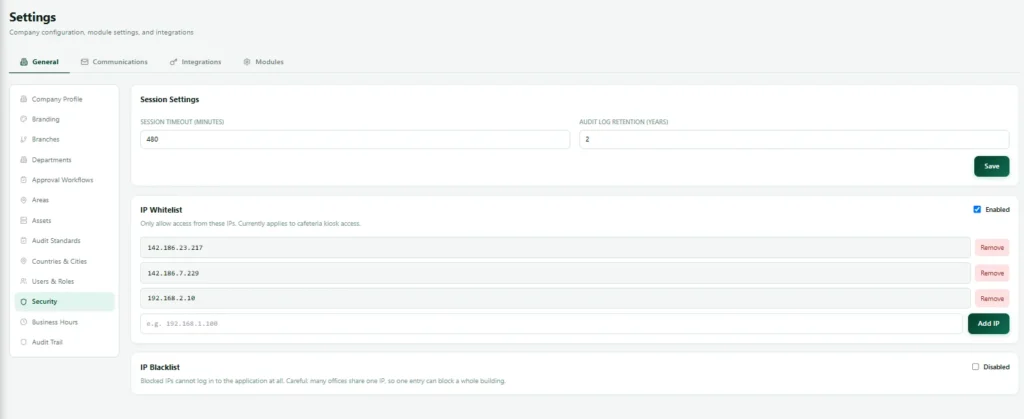
Data security software controls and data ownership are built into Nexora, not promised in a sales call. Here is exactly how we protect your data, how backups work and how you can take everything with you whenever you choose.
Security controls
Data security software controls built in
Six controls that protect every customer’s space.
Two factor authentication
Mandatory for every user. Not optional, not a setting that can be quietly switched off.
Microsoft Entra single sign on security
Supported, and single sign on users still complete two factor authentication.
Tenant data isolation
Data is scoped per customer at the database layer, tested against a genuine cross customer access attempt.
Credentials encrypted for security
Stored credentials such as mailbox passwords are encrypted at rest.
Rate limiting for login security
Protects login and the wider system, with separate limits for login attempts so one noisy office doesn't lock out everyone.
Admin actions recorded for security
Admin actions on sensitive features are recorded.
Data ownership
Full data export: what happens if you leave
A complete export of your data, with every table as a spreadsheet friendly file plus every uploaded document, delivered as one downloadable package through a private, time limited link.
This is the answer to “what happens if we leave,” and it is built, not promised.
Backups & export
Data ownership and recovery at a glance
| Control | How it works |
|---|---|
| Full data export | Every table as a spreadsheet friendly file, plus every uploaded document, delivered as one downloadable package through a private, time limited link. |
| Offsite backups | Automatic database backups stored in a different data centre region from the live system. |
| Frequency and retention | Configurable. |
| Restore procedure | Written and tested. |
Works with
More on how the Nexora platform works
Nexora platform overview →
One private tenant, one set of rules, twelve modules.
Nexora approvals engine →
How multi step approvals actually work.
Our approach
Security is a habit, not a feature list
Every software vendor says it takes software security seriously. The useful question is what that means in practice. For us it means that security decisions are made at the start of a design, not bolted on at the end, and that the defaults protect you even when nobody remembers to configure anything.
It helps that security has been our working life. Our founder has close to twenty years of hands on experience across systems administration, network security, cloud infrastructure and enterprise integrations, and holds the Certified Ethical Hacker certification among others. He has run IT teams and worked in healthcare and enterprise environments where systems have to be secure and available around the clock. Nexora was designed with the same expectations large organisations bring to their own systems, and the same people run our cybersecurity services and penetration testing for clients.
We also try to be honest about limits. We tell you what the platform does, we do not claim protections it does not have, and if your organization has specific compliance requirements, we would rather talk them through with you before you sign than discover a gap afterwards.
Who sees what
Access control: data only for the right people
Most software security problems in business systems are not break ins. They are ordinary people seeing things they should not, because access was too broad. Nexora treats this as a first class concern.
Because access is set per user and per module, you can give a contractor one module for one project without exposing anything else, and remove it just as easily when the project ends.
Five ways access is kept tight:
- Each module can be switched on or off for an individual user, not only for a role.
- Employees see their own records. Department managers see their department. Administrators see the whole company.
- Search respects the same rules, so nobody finds something in the search box that they could not open directly.
- Sensitive details, such as driver licence information or software licence keys, are limited to the roles that need them.
- Admin actions on sensitive features are recorded, so there is a history of who changed what.
Recovery
Backups and recovery, in plain words
A backup is only worth anything if it can be restored. Nexora takes automatic database backups and stores them in a different data centre region from the live system, so a problem in one location does not take your history with it. Frequency and retention are configurable to match how much change you can afford to lose and how long you need to keep copies.
We also keep a written and tested restore procedure, because the worst moment to discover a backup does not work is the moment you need it. Backups are encrypted, and access to them is restricted to the people who need it to keep the service running.
Separately from backups, you can take your own full export at any time. The two serve different purposes. Backups protect you from failure. The data export protects you from lock in.
Due diligence
Data security software questions to ask any vendor
Whether you choose Nexora or something else, a handful of questions will tell you a great deal about how a vendor treats your data. We are glad to answer every one of them, and we would suggest asking them of anyone you evaluate.
You will find our answers to each of these above. If your organization has its own security questionnaire, send it to us and we will complete it honestly.
Seven questions to ask:
- Is two factor authentication mandatory, or can it be switched off?
- Is my data separated from other customers at the database level, and has that been tested?
- Where are backups stored, how often are they taken and has a restore ever been tested?
- Can I export everything, including documents, without paying or asking permission?
- Are stored passwords and keys encrypted, and who can reveal them?
- Are administrator actions recorded?
- What happens to my data if I cancel?
Security review
What a security review with us looks like
- 1
Share your security requirements
Send your security questionnaire or list the controls that matter to you.
- 2
Security answers in writing
Specific, honest answers, including anything we do not do.
- 3
Talk security through with the engineer
A call with the engineer who built the platform, not a salesperson.
- 4
Agree data and access settings
Settings, access rules and backup retention matched to your policy.
- 5
Review security regularly
Access and settings are checked as people and needs change.
Shared responsibility
Shared software security: our part and yours
Software security is shared between the service provider and the customer. We protect the platform, the servers, the backups and the separation between customers. You protect the way your own people use it. A few habits make a large difference.
Five habits on the customer side:
- Remove access promptly when someone leaves or changes role.
- Give each person only the modules and records they need.
- Use Microsoft Entra single sign on if your organisation already runs it, and keep two factor devices safe.
- Review administrator accounts regularly and keep their number small.
- Tell us quickly if you suspect an account has been misused.
If something goes wrong
Reporting a software security concern
If you think you have found a security problem, or you simply have a worry, write to us at hello@apexgentech.com and say what you saw. We treat every report seriously, acknowledge it promptly and tell you what we find. We would much rather hear about a possible issue that turns out to be nothing than miss a real one.
If an incident ever affects your data, we investigate the cause, contain it, restore service as quickly as we safely can and tell you what happened, what data was involved and what we are changing to prevent a repeat. Customers on a Critical support tier have a dedicated line and a named escalation engineer for exactly these moments.
Hosting
Data hosting and location
Where data lives matters to many organisations, whether for regulation, contract or simple preference. Nexora runs on secure infrastructure from trusted hosting providers, and backups are held in a different data centre region from the live system. If your organization has requirements about where data may be stored or processed, tell us early and we will explain how Nexora can meet them or be honest if it cannot.
Related: Software security is part of the whole platform: read the platform overview, see how the approvals engine keeps a history, how asset management protects licence keys, and our Privacy Policy.
Screens
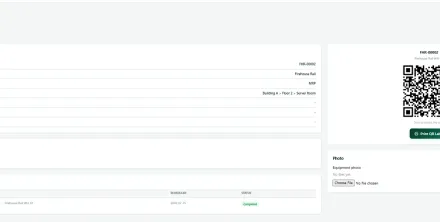
Data security software protecting every module
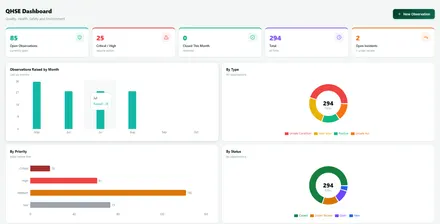
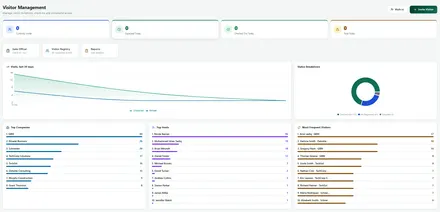
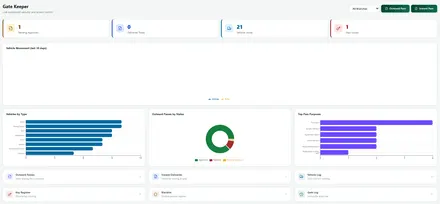
Role based access, audit trails and encryption apply to each of these modules.
FAQ
Data security software FAQs
Is two factor authentication optional?
No. It is mandatory for every user, and not a setting that can be quietly switched off. Microsoft Entra single sign on users still complete two factor authentication.
Can other customers see our data?
No. Data is scoped per customer at the database layer, and this has been tested against a genuine cross customer access attempt.
What happens to our data if we leave?
You can take a complete data export, with every table as a spreadsheet friendly file plus every uploaded document, as one downloadable package through a private, time limited link.
Where are backups stored?
Automatic database backups are stored in a different data centre region from the live system, with configurable frequency and retention, and a written and tested restore procedure.
Are stored passwords protected by Nexora security?
Yes. Stored credentials such as mailbox passwords are encrypted at rest, and in Asset Management software licence keys are encrypted, hidden by default and recorded every time one is revealed.
Will you complete our software security questionnaire?
Yes. Send it to us and we will answer honestly and in writing, including anything the platform does not do.
Does Nexora include data security software or do we need our own?
The data security software controls you need for Nexora are built in: role based access, two factor sign in, encryption, audit trails and backups. You still need your own endpoint and email protection for the devices people use, which we can supply too.
How do you test the data security software inside Nexora?
We review access rules and audit trails with every release, patch the platform on a schedule and test it the way an attacker would. Our penetration testing team checks the data security software in Nexora with the same methods we use for client systems.
Ask us anything about data security software before you sign
A short, no pressure walkthrough with our team.